Get your payout details ready
Keep identity and bank information private.
Read the required-document labels. Do not upload sensitive documents for this lesson.
In this lesson 3 steps + optional extras
Open Settings → Identity & bank. Verification is required before a withdrawal; you can create and sell while review is pending.
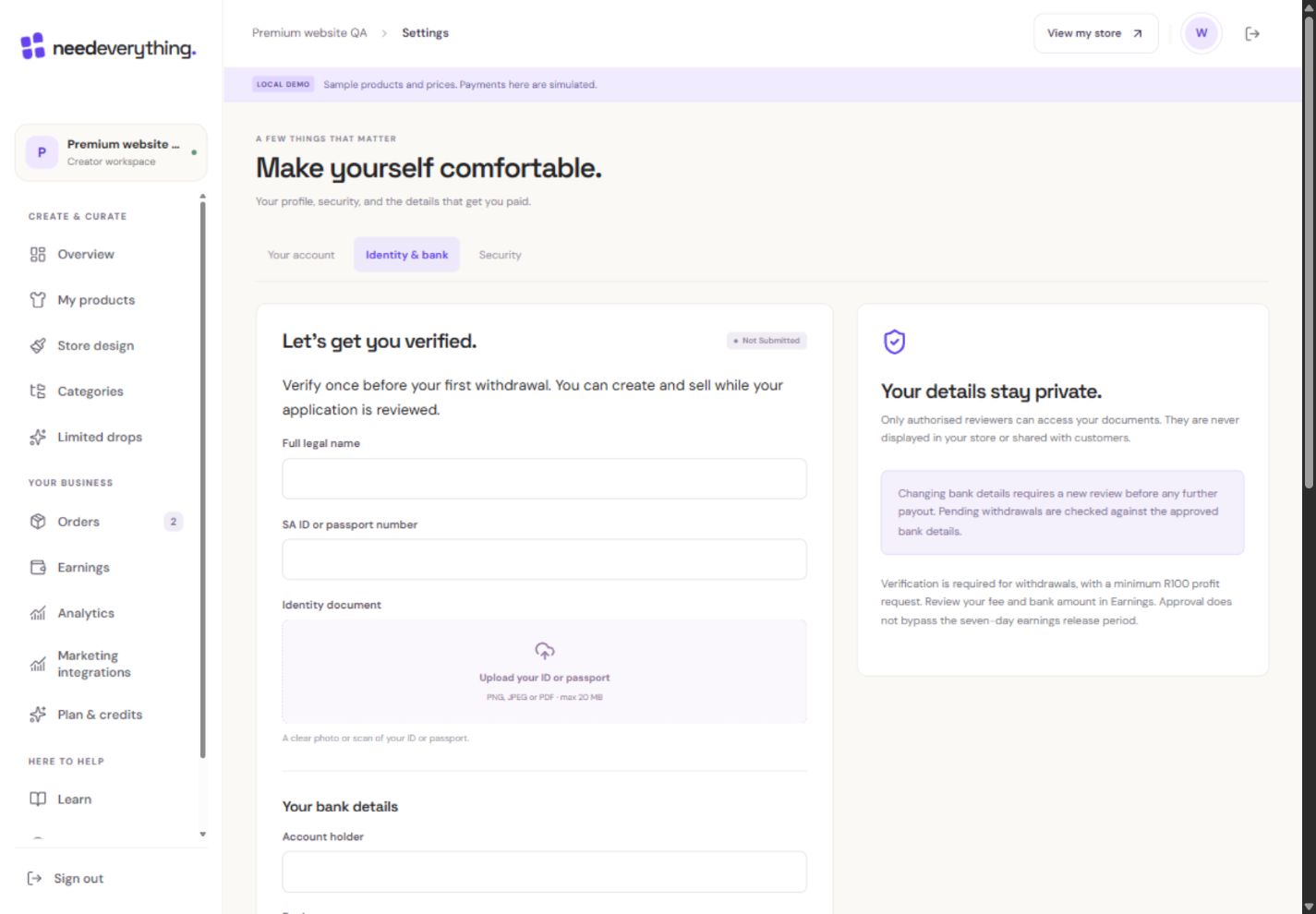
- 1Use your own correct details in your account. This teaching form is intentionally blank.
- 2Identity documents belong only in this protected verification flow.
- 3Approval is needed before withdrawals, not before creating designs.
What you should seeThe private verification form explains withdrawal eligibility.
Wait for uploads to finish before submitting. Read any review feedback and correct the requested fields.
What you should seeUpload/review status identifies whether more information is needed.
Changing bank details requires a new review. Approval of previous details does not silently approve replacements.
What you should seeReplacement bank details require a fresh review before payout.
Go further 2 optional topics
You have the core task. Explore these extra tools whenever you need them.
Enter your real legal details and upload the requested identity and bank-ownership documents through the private form.
What you should seeOnly the private form receives your legal and banking documents.
Check that the bank account belongs to you. Do not use the Academy’s fictional details or send documents in public comments.
What you should seeThe account ownership details identify your own bank account.
Give it a try.
Read the required-document labels. Do not upload sensitive documents for this lesson.
Open Settings Opens separately. Paid and destructive actions are never required to complete a lesson.You change bank details after approval. What is needed for payout?
Optional. No grades, no locked lessons.Ready to mark this one complete?
You choose when you have learned enough. No quiz score or business action is required.
Loading progress…
Sign in to save progress across devices