Change the right thing, for the right price
Choose the target before writing the request.
Select a section and read the available actions without submitting.
In this lesson 3 steps + optional extras
Choose the page and select the section or editable element in the preview. Read the target breadcrumb before entering a request.
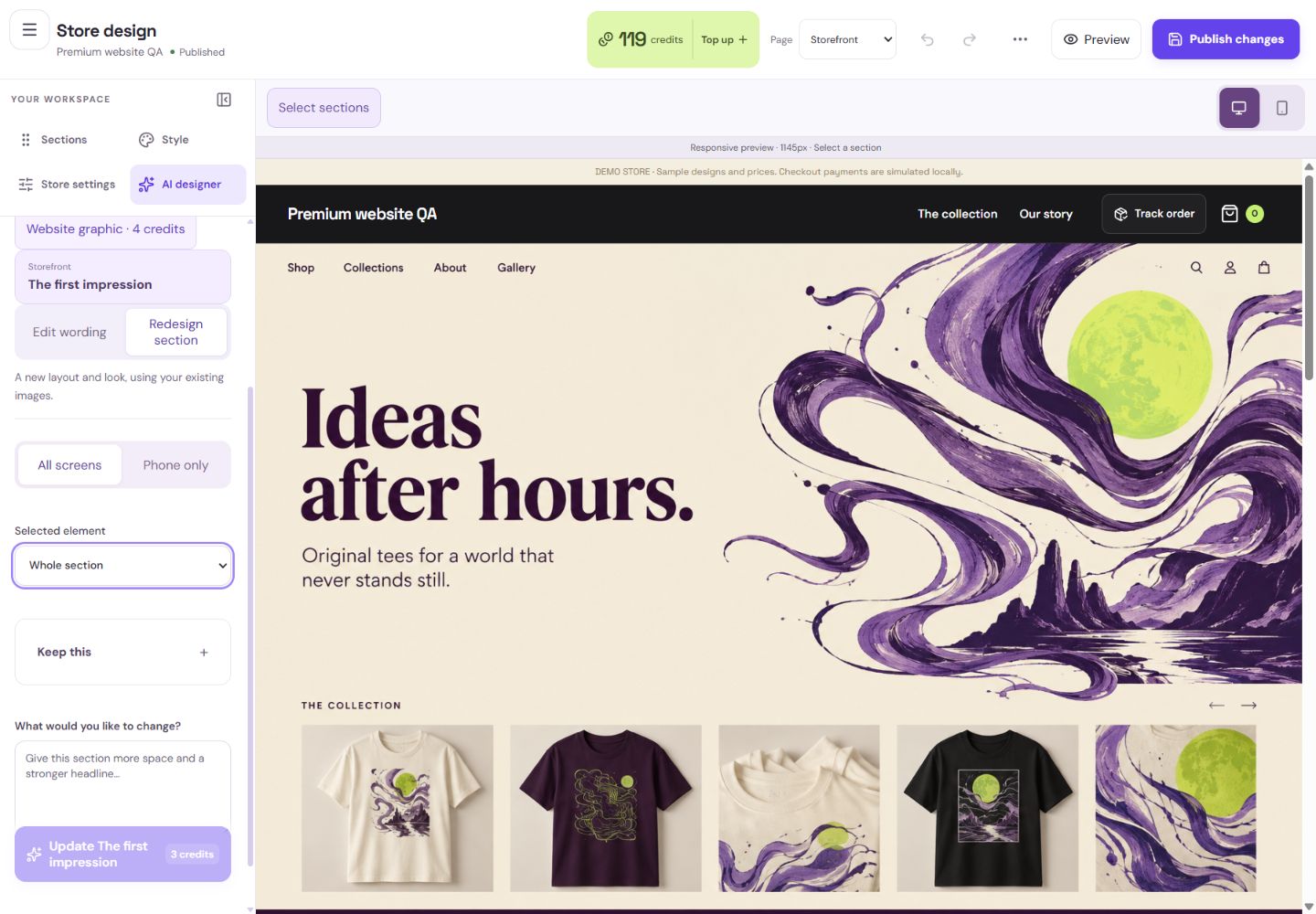
- 1This is the captured target. Other sections stay unchanged.
- 2Choose a heading or paragraph for a smaller edit.
- 3Phone-only refinements preserve the desktop layout.
What you should seeThe breadcrumb names the actual page and selected element.
Edit wording changes text; Edit palette affects store colours; Redesign selected section changes that section’s presentation with existing images.
What you should seeThe action label describes what the request is allowed to change.
Check the exact target and quoted charge in confirmation. A pending result stays tied to its original target even if you browse elsewhere.
What you should seeThe confirmation retains the original target and quoted charge.
Go further 4 optional topics
You have the core task. Explore these extra tools whenever you need them.
Use Keep this pins and section/brand locks for things that must stay. Full-section locks take precedence; a conflicting request should explain the problem.
What you should seePins and locks identify what must remain unchanged.
Phone-only refinement changes supported mobile presentation. Wording shared across devices needs All screens.
What you should seePhone-only presentation can change without changing shared wording or desktop layout.
For reference annotations, mark the area and explain composition, style or exclusions. References guide the request; they are not permission to use someone else’s work.
What you should seeYour reference annotation explains the area and guidance you mean.
Look for free adjustment shortcuts for simple supported changes. Preview and apply them without a paid request, then Undo if needed.
What you should seeThe supported free adjustment can be previewed and undone.
Give it a try.
Select a section and read the available actions without submitting.
Open Store design Opens separately. Paid and destructive actions are never required to complete a lesson.You want wording changed in one banner. What should you confirm?
Optional. No grades, no locked lessons.Ready to mark this one complete?
You choose when you have learned enough. No quiz score or business action is required.
Loading progress…
Sign in to save progress across devices