Leave carefully, with room to change your mind
Understand the checklist and recovery window.
Read the checklist without submitting a deletion request.
In this lesson 3 steps + optional extras
Open Settings → Your account and read the deletion controls and checklist before requesting anything.
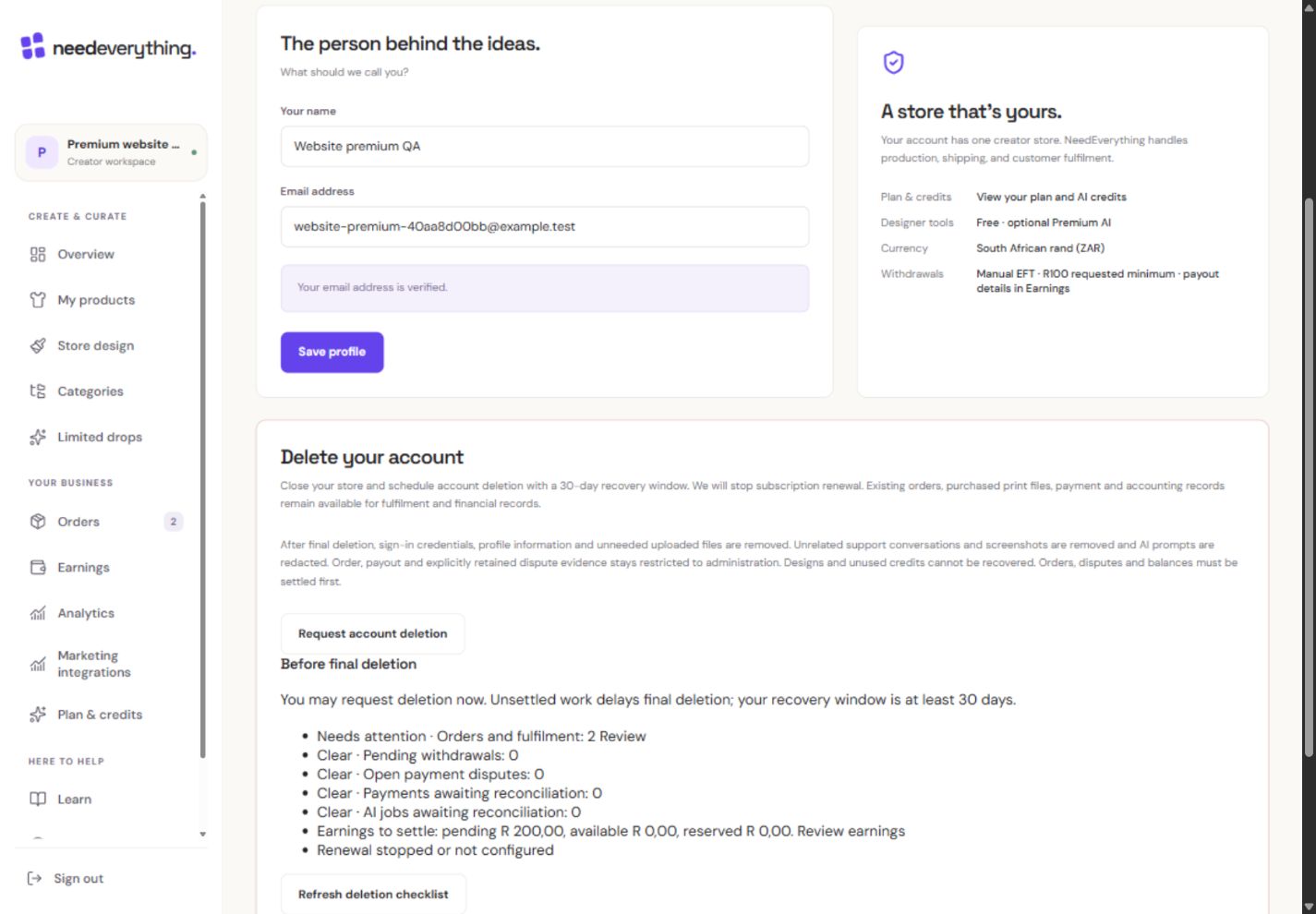
- 1Read the recovery window and the records that must be retained.
- 2This starts the confirmation process. The course never asks you to use it.
What you should seeThe account page shows the closure checklist before any request.
Outstanding orders, balances, withdrawals, disputes, payment checks, running AI jobs and renewal cancellation can affect final deletion.
What you should seeOutstanding obligations explain what can delay final cleanup.
This lesson is informational. Do not request deletion as a practice exercise.
What you should seeYou finish the lesson by reading, without requesting deletion.
Go further 3 optional topics
You have the core task. Explore these extra tools whenever you need them.
Follow the email confirmation when you truly want to close the account. The recovery window is at least 30 days; unresolved obligations can delay final cleanup.
What you should seeThe confirmation explains the minimum recovery window.
Use the recovery action within the allowed window if you change your mind. Scheduled closure restricts creating and selling while important management actions remain available.
What you should seeThe recovery action and limited management access remain identifiable.
Required purchased files and financial evidence may be retained under restricted access. Deletion is not a way to erase an existing order.
What you should seeRequired purchased files and financial evidence are described separately from removable data.
Give it a try.
Read the checklist without submitting a deletion request.
Open Settings Opens separately. Paid and destructive actions are never required to complete a lesson.How do you complete this account-closure practice?
Optional. No grades, no locked lessons.Ready to mark this one complete?
You choose when you have learned enough. No quiz score or business action is required.
Loading progress…
Sign in to save progress across devices