Ask for help that is easy to act on
A useful ticket saves a lot of back-and-forth.
Draft a one-sentence problem description in your notes.
In this lesson 3 steps + optional extras
Open Help & support and create a ticket. Choose the relevant topic and link an order or product when the form offers it.
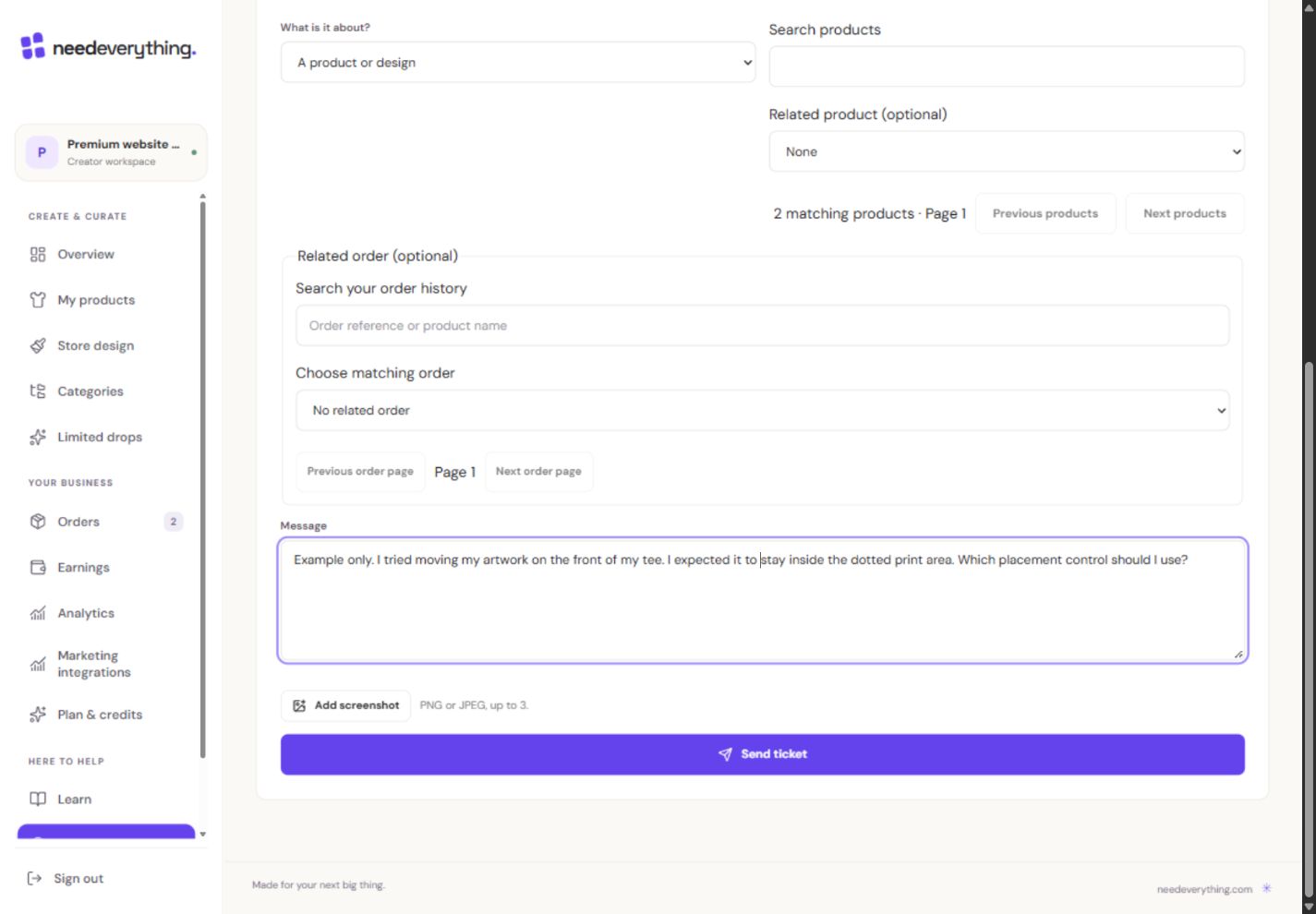
- 1Explain what you tried, what you expected and what happened.
- 2Share only the relevant screen. Hide passwords, codes and customer details.
- 3Send only when ready. This teaching example was not sent.
What you should seeThe ticket form identifies the topic and optional linked product/order.
Describe what you tried, what you expected and the exact message you saw. Include the device/browser and a screenshot with sensitive details removed.
What you should seeThe message contains reproducible steps, expected outcome and a safe screenshot.
Never attach passwords, authenticator codes, recovery codes or payment-card details.
What you should seePasswords, codes and card details remain outside the attachment.
Go further 3 optional topics
You have the core task. Explore these extra tools whenever you need them.
Replies appear in the conversation and trigger the configured email notification. Check the conversation itself if an email is delayed.
What you should seeThe conversation shows replies even if email notification is delayed.
Before replying or closing, check the ticket title. If the conversation changed, refresh it and review new replies before acting.
What you should seeA stale conversation asks you to refresh before changing its status.
Close a resolved ticket or reopen it when appropriate. The Academy’s practice task does not send a message to support.
What you should seeThe resolved conversation can be closed or reopened without sending a practice message.
Give it a try.
Draft a one-sentence problem description in your notes.
Open Help & support Opens separately. Paid and destructive actions are never required to complete a lesson.You cannot publish. What makes a useful ticket?
Optional. No grades, no locked lessons.Ready to mark this one complete?
You choose when you have learned enough. No quiz score or business action is required.
Loading progress…
Sign in to save progress across devices