Keep your creative home secure
Passwords, authenticators and recovery codes.
Find Security and Sign out. Do not change credentials for this lesson.
In this lesson 3 steps + optional extras
Open Settings → Your account to update your name and inspect email verification. Account identity is separate from your public store branding.
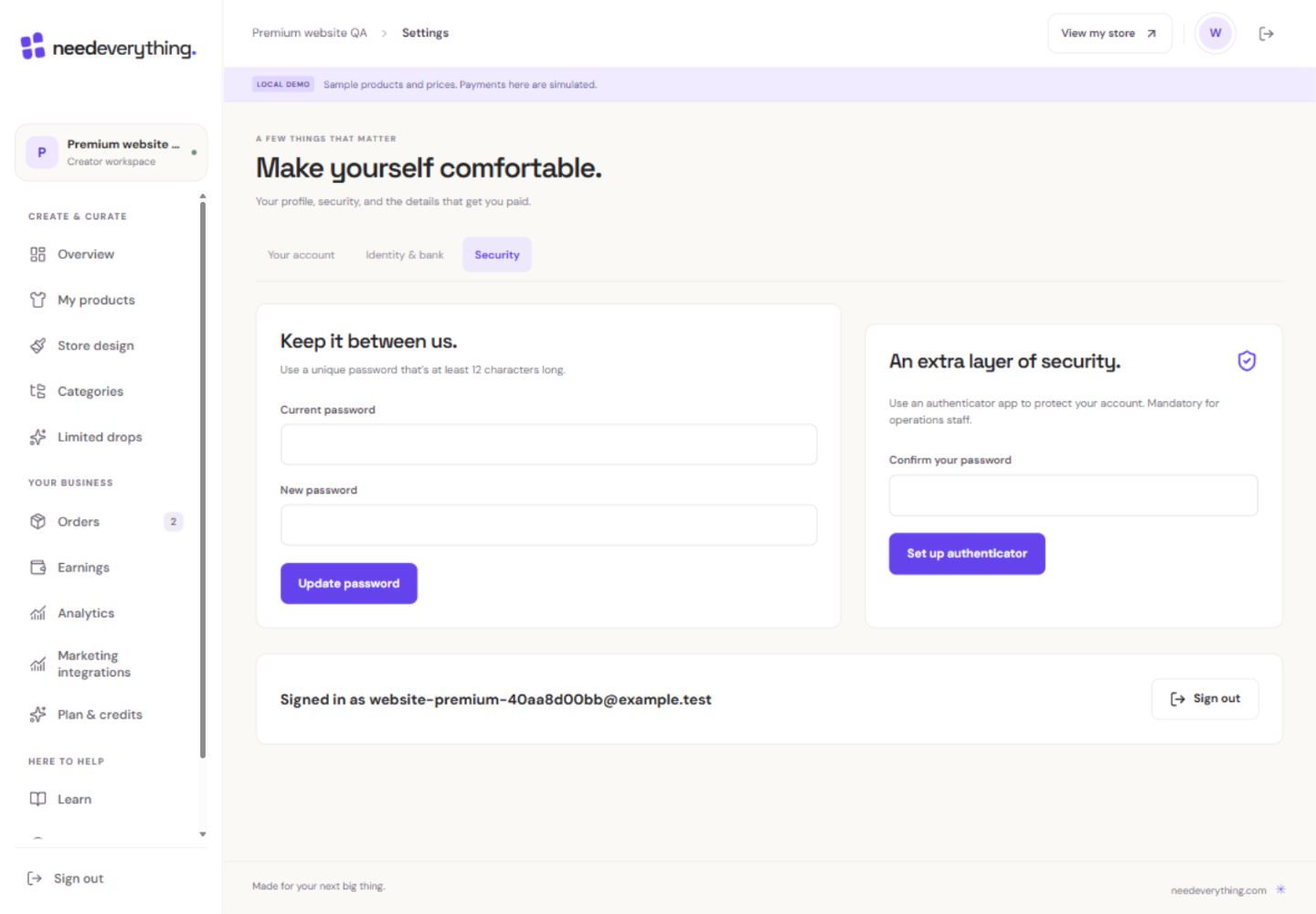
- 1Use a unique password. Never send it to support or put it in a screenshot.
- 2An authenticator adds another check when you sign in.
- 3Keep recovery codes private when you complete your own setup.
What you should seeAccount identity and public store branding are clearly separate.
Open Security to set up an authenticator. Complete setup with your own device and keep its secret and recovery codes private.
What you should seeAuthenticator setup is completed using your own private device.
Store recovery codes somewhere safe. A used recovery code cannot be reused.
What you should seeRecovery codes are identified as single-use secrets.
Go further 2 optional topics
You have the core task. Explore these extra tools whenever you need them.
Use a unique password. Changing it may revoke other sessions, so expect to sign in again on another device.
What you should seePassword changes explain any need to sign in again.
Use Sign out on a shared device and wait for success. If it fails, retry rather than assuming the session is closed.
What you should seeA successful sign-out confirms the session ended, or offers an honest retry.
Give it a try.
Find Security and Sign out. Do not change credentials for this lesson.
Open Settings → Security Opens separately. Paid and destructive actions are never required to complete a lesson.You used a recovery code successfully. What should you use next time?
Optional. No grades, no locked lessons.Ready to mark this one complete?
You choose when you have learned enough. No quiz score or business action is required.
Loading progress…
Sign in to save progress across devices