Give your collection clear signposts
Organise products without making duplicates.
Find an uncategorised design or inspect the category assignment control.
In this lesson 3 steps + optional extras
Open Categories and create a top-level category. A subcategory can sit one level below it; deeper nesting is not supported.
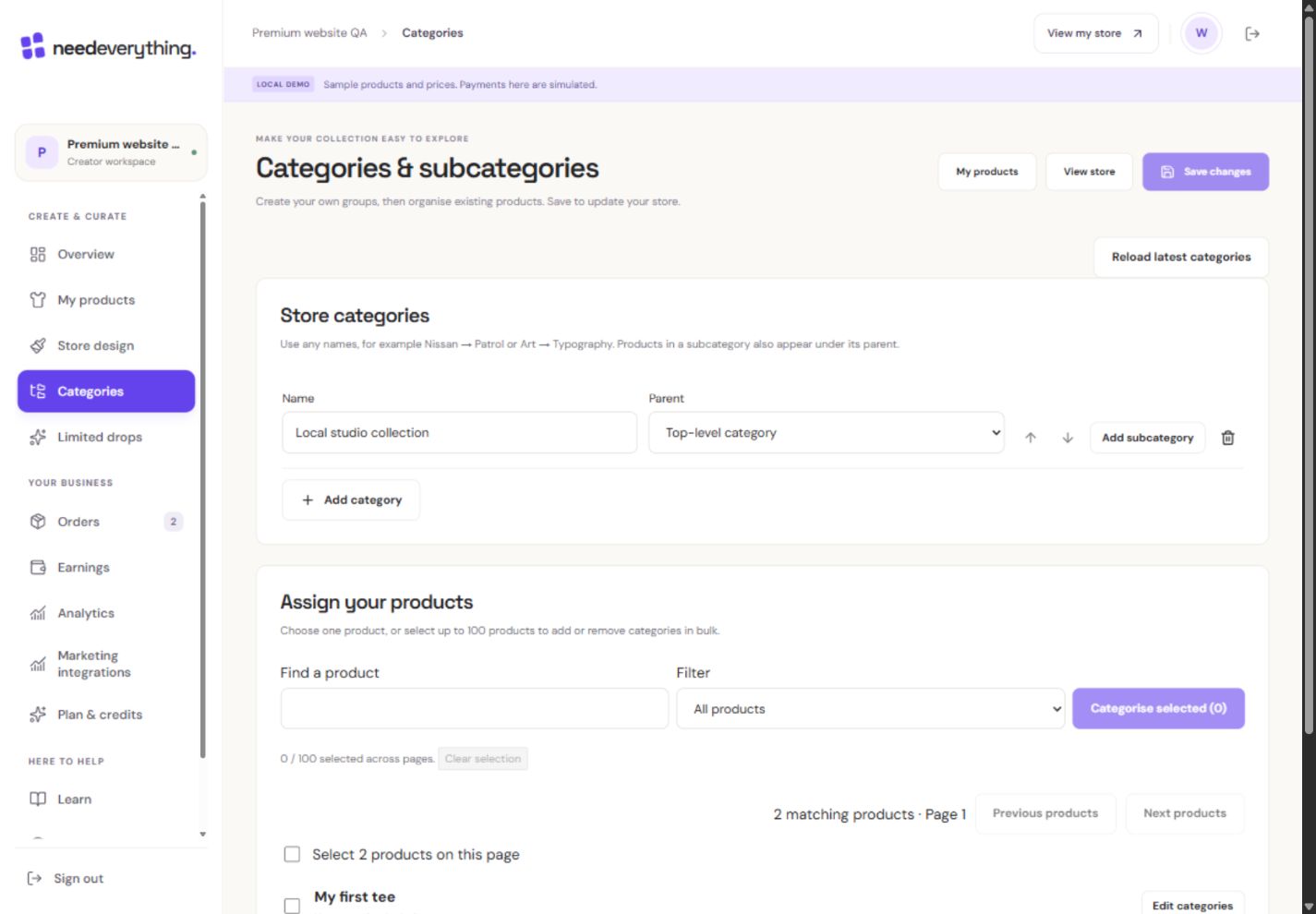
- 1Use just two levels: category, then subcategory.
- 2Products can belong to more than one group.
- 3Save organisation explicitly. Artwork and purchased revisions stay the same.
What you should seeThe hierarchy shows a parent category and at most one subcategory level.
Assign a product to one or several categories. It remains one product with one basket and checkout.
What you should seeThe same product can appear in both categories without being duplicated.
Save category changes explicitly. This changes store organisation without republishing artwork; drafts remain invisible to shoppers.
What you should seeA confirmed save updates organisation while artwork stays unchanged.
Go further 3 optional topics
You have the core task. Explore these extra tools whenever you need them.
Use search and the Uncategorised filter to find products. Bulk Add and Remove change only the selected assignments, not every other category.
What you should seeBulk Add/Remove affects only the chosen assignments.
Parent categories include their own and their subcategories’ eligible products, without duplicates. Empty categories are hidden from shopper navigation.
What you should seeThe parent view combines eligible products without duplicates.
Before deleting a parent, move or delete its children. Deleting a category removes assignments, not products. Renaming preserves the category link.
What you should seeProducts remain intact after category deletion; parent-child rules are explained.
Words made simple
- draft
- A private saved copy. Shoppers cannot see these changes yet.
- publish
- Make the reviewed changes visible on your public store.
Give it a try.
Find an uncategorised design or inspect the category assignment control.
Open Categories Opens separately. Paid and destructive actions are never required to complete a lesson.One shirt belongs in two categories. How do you arrange that?
Optional. No grades, no locked lessons.Ready to mark this one complete?
You choose when you have learned enough. No quiz score or business action is required.
Loading progress…
Sign in to save progress across devices