Know which credits you are using
Monthly, purchased and awarded balances have different rules.
Find the balance breakdown and one history entry, if available.
In this lesson 3 steps + optional extras
Read Credits available and its balance breakdown. Available credits differ from credits currently reserved for running jobs.
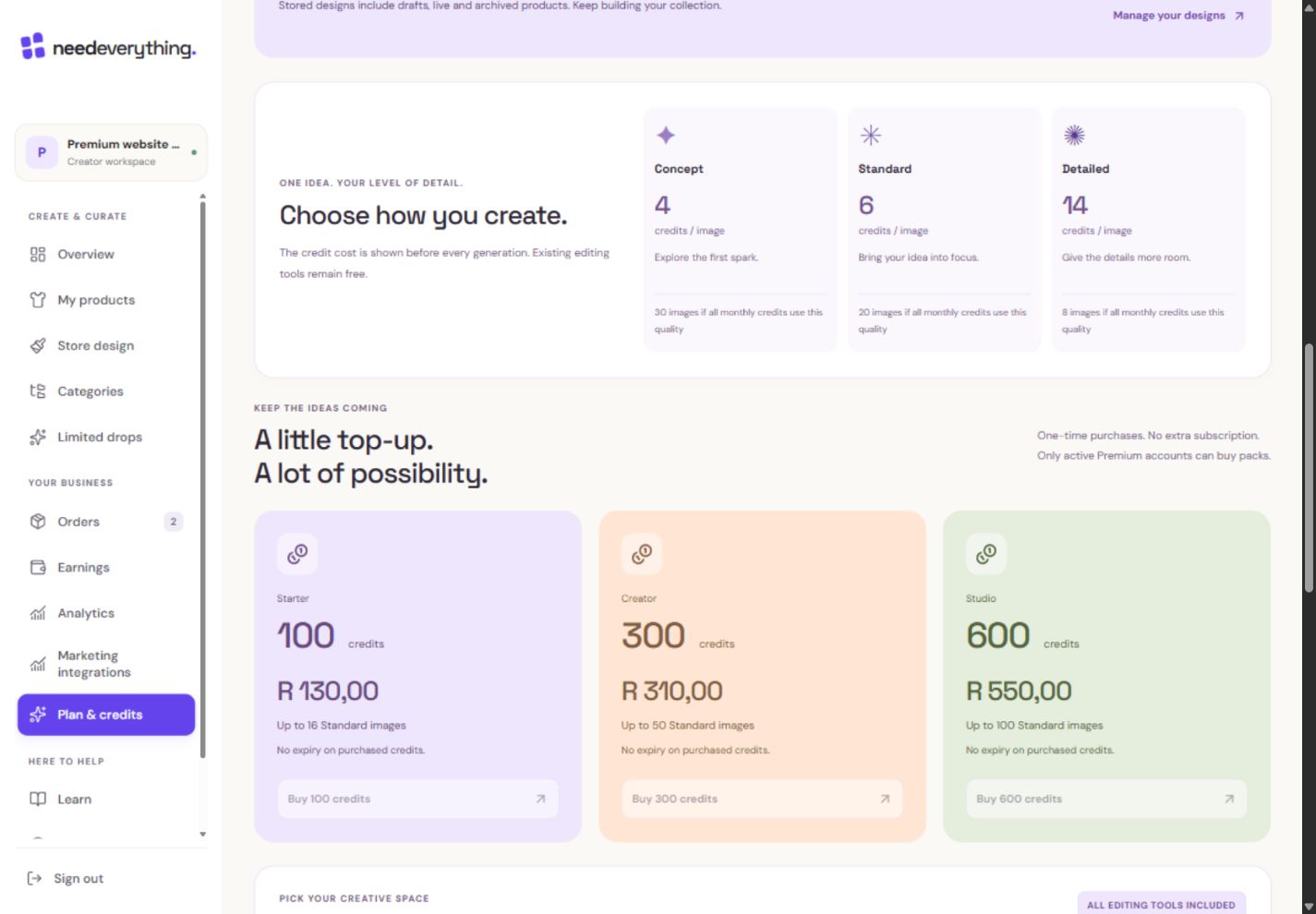
- 1A pack adds credits, not another monthly subscription.
- 2Compare the current price and usable image allowance.
- 3New pack purchases require active Premium and an available billing service.
What you should seeAvailable credits and running reservations have separate figures.
Monthly credits belong to a paid billing period and expire at its end. They are spent before purchased credits.
What you should seeMonthly credits have a paid-period expiry and spending priority.
Purchased credits remain after a subscription ends and can fund eligible product-artwork generation. Buying new packs requires active Premium.
What you should seePurchased credits remain recorded with their retained-use rules.
Go further 3 optional topics
You have the core task. Explore these extra tools whenever you need them.
AI website access has its own entitlement rules. Administrator-awarded credits can give eligible access without Premium; retained purchased credits alone do not promise every Premium website feature.
What you should seeWebsite-tool access is explained separately from the remaining artwork balance.
Check the quoted cost for each request. Failed confirmed work releases its reservation; uncertain outcomes remain under review rather than being automatically retried.
What you should seeThe request confirms its quoted cost or explains an unresolved outcome.
Use transaction and generation history to check refills, purchases and charges. Prices and packs shown below come from the current catalogue.
What you should seeHistory identifies refills, purchases and charges without counting them twice.
Words made simple
- reserved
- Credits set aside for a running request. They are not available to spend again.
Give it a try.
Find the balance breakdown and one history entry, if available.
Open Plan & credits Opens separately. Paid and destructive actions are never required to complete a lesson.A paid period ends with purchased credits remaining. What should you check?
Optional. No grades, no locked lessons.Ready to mark this one complete?
You choose when you have learned enough. No quiz score or business action is required.
Loading progress…
Sign in to save progress across devices