Know what happens at the finish line
Sold out, expired and closed are real states.
Your task
Reviewed 2026-11-03 · free to learnFind the status and schedule labels on the example drop.
In this lesson 3 steps + optional extras
1
At the deadline, the shopper view should show no currently available units for new purchases. Existing checkout grace periods are checked by the platform.
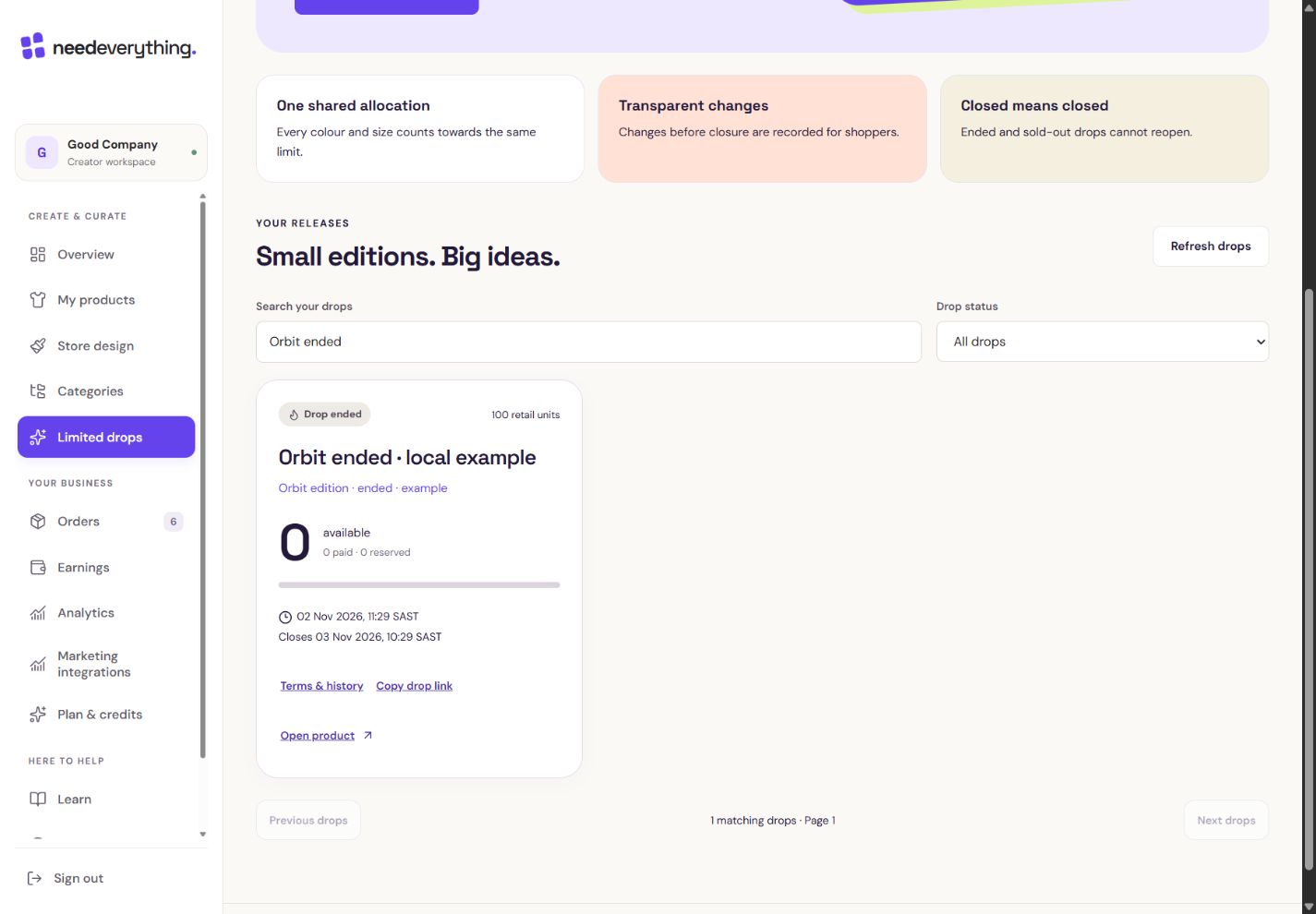
- 1This is the ended example. These are simulated local figures.
- 2The deadline has passed. No units are available for new purchases.
What you should seeAn ended drop shows zero units available for new purchases.
2
A sold-out drop shows an honest unavailable state; colours and sizes do not create extra edition units.
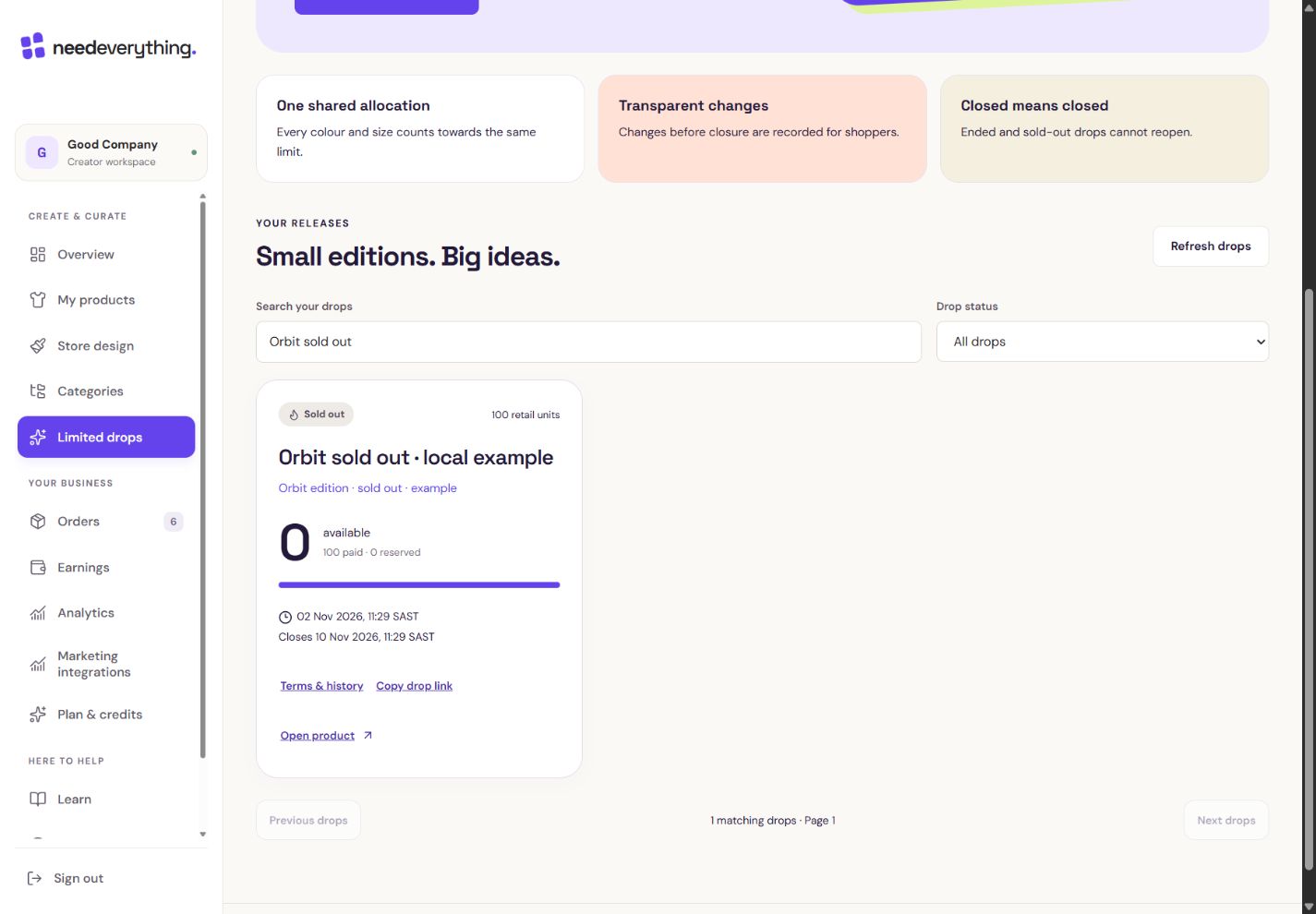
- 1This is the sold out example. These are simulated local figures.
- 2All 100 edition units are paid. Other sizes and colours do not add more.
What you should seeA sold-out edition cannot gain more units from another colour or size.
3
Closed drops cannot reopen. Use the allowed product actions and plan limits when returning original artwork to an available live slot.
What you should seeThe closed edition stays closed; only allowed product actions remain.
Go further 2 optional topics
You have the core task. Explore these extra tools whenever you need them.
↗
Review public change history when updating permitted details. Launched artwork remains fixed.
What you should seePermitted changes appear in the public history.
↗
If Premium expires, review the creator status and available actions. Existing paid orders still need fulfilment; expiry does not erase purchased artwork.
What you should seePast paid orders stay recorded when a plan expires.
YOUR TURN · OPTIONAL
Give it a try.
Find the status and schedule labels on the example drop.
Open Limited drops Opens separately. Paid and destructive actions are never required to complete a lesson.A sold-out paid unit is refunded. What happens to the edition?
Optional. No grades, no locked lessons.Ready to mark this one complete?
You choose when you have learned enough. No quiz score or business action is required.
Loading progress…
Sign in to save progress across devices