Plan a small edition honestly
Choose the design, quantity and dates before launch.
Your task
Reviewed 2026-11-03 · free to learnRead the drop creation form without launching a release.
In this lesson 3 steps + optional extras
1
Open Limited drops. Creating a drop requires Premium; adding a drop section to a website does not change that rule.
What you should seeThe creator drop controls explain eligibility before launch.
2
Set the total edition quantity and schedule. The edition is shared across garment colours and sizes, not multiplied by each option.
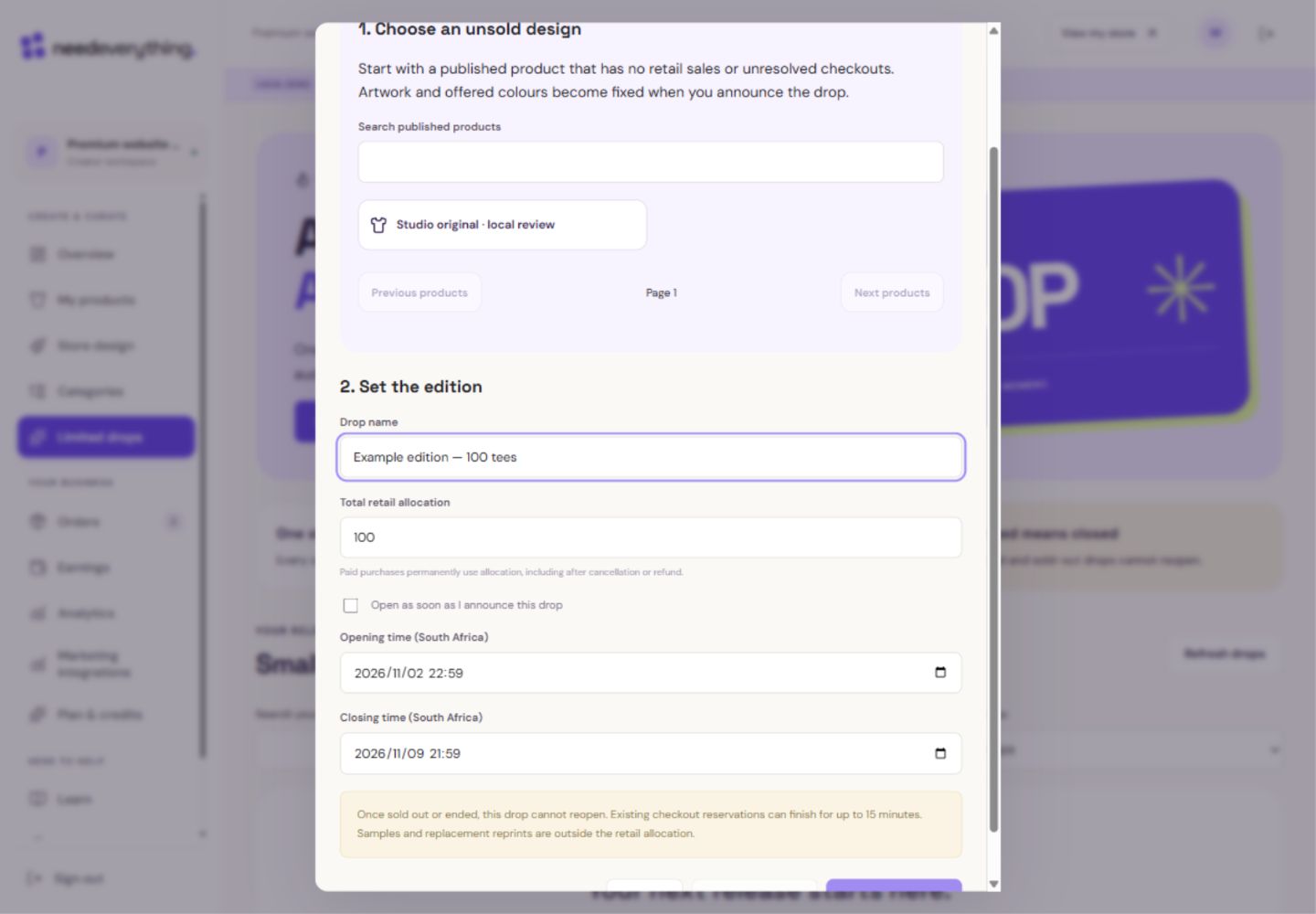
- 1Give the release a clear name. This example is not announced.
- 2One total allocation is shared by all offered colours and sizes.
- 3Untick to set an opening time. Check the opening and closing dates before announcing.
What you should seeThe edition has one quantity and clear opening/closing times.
3
Read the dates and local time shown before launch. Explain the real deadline to shoppers rather than creating a pretend countdown.
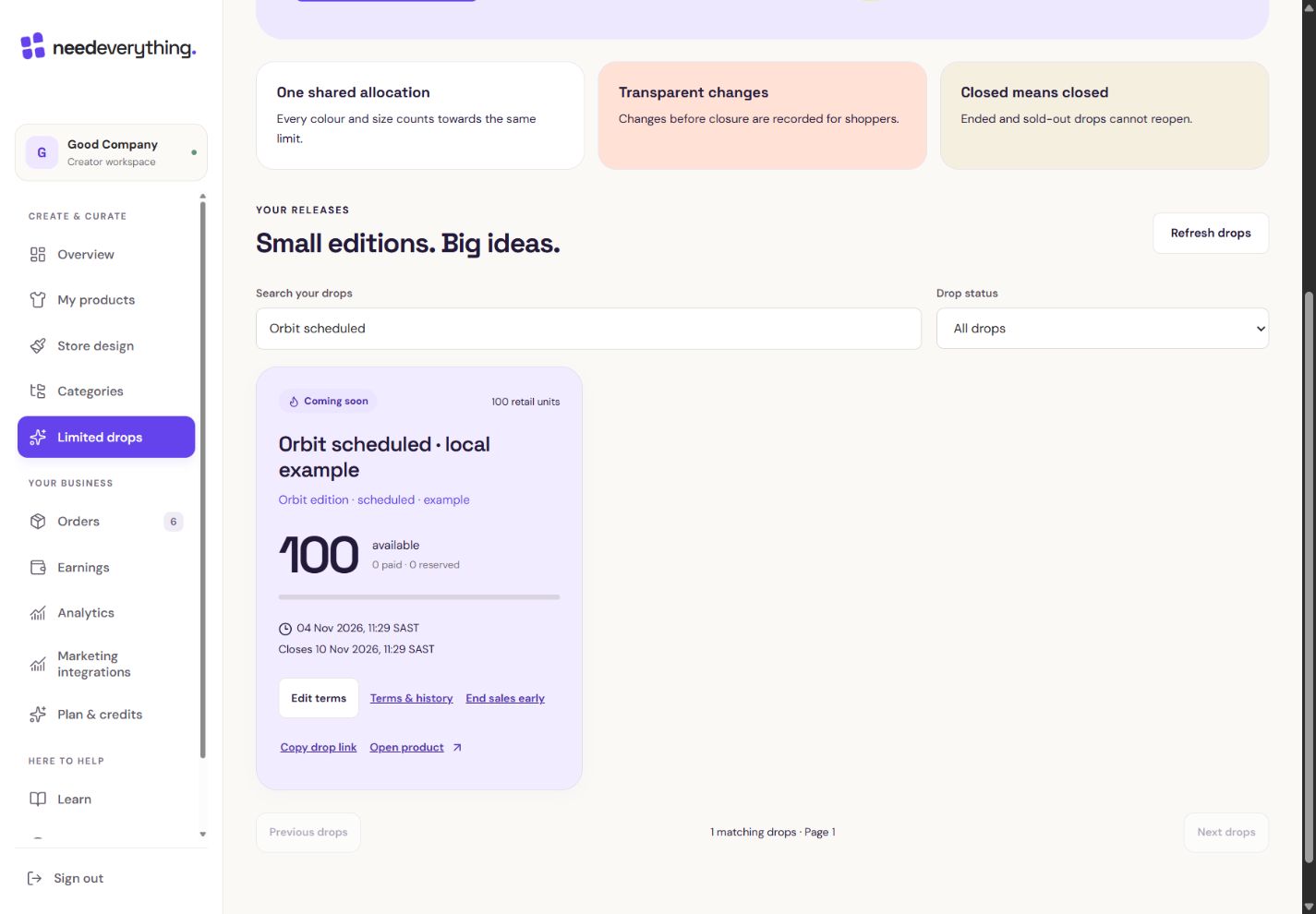
- 1This is the scheduled example. These are simulated local figures.
- 2Read available, paid and reserved separately. The allocation is shared.
What you should seeA scheduled drop shows when shopping will open.
Go further 2 optional topics
You have the core task. Explore these extra tools whenever you need them.
↗
Choose an eligible unsold design and review its artwork. Once launched, the drop artwork is fixed.
What you should seeYou can inspect the exact unsold artwork that will be fixed.
↗
Review the price and actual product availability. A drop cannot sell garments that are unavailable.
What you should seeThe drop keeps the product’s real price and availability.
YOUR TURN · OPTIONAL
Give it a try.
Read the drop creation form without launching a release.
Open Limited drops Opens separately. Paid and destructive actions are never required to complete a lesson.You launch 100 tees with five colours. How many edition units exist?
Optional. No grades, no locked lessons.Ready to mark this one complete?
You choose when you have learned enough. No quiz score or business action is required.
Loading progress…
Sign in to save progress across devices