Get a second pair of eyes
Share a private snapshot, not your editing controls.
Find More and its history/feedback entries. Do not create a public link for this lesson.
In this lesson 3 steps + optional extras
Create a private feedback link when eligible. It is a fixed design snapshot with a seven-day expiry, not a continuously changing live editor.
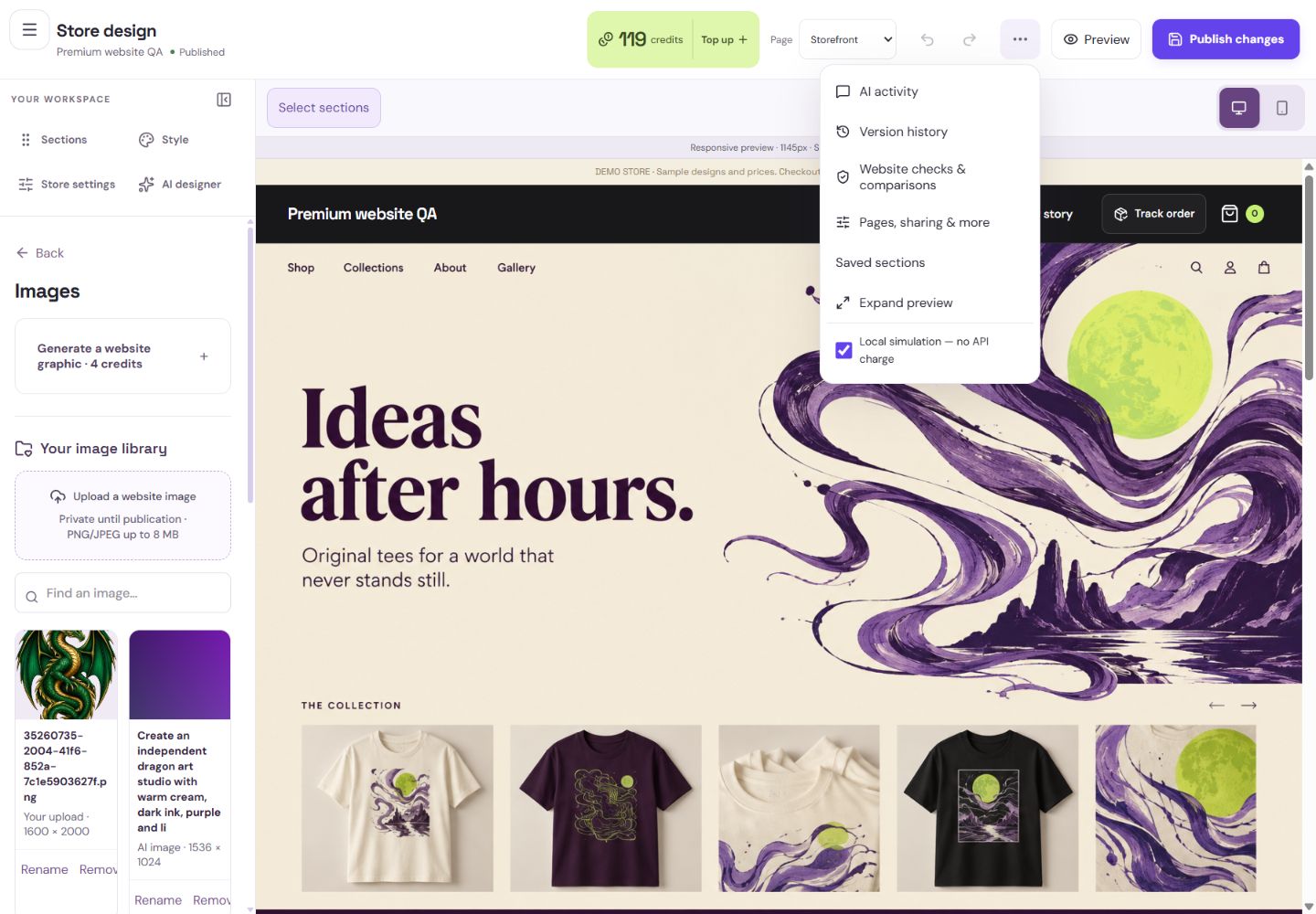
- 1Restore an older version into a private draft.
- 2Find page overrides, sharing and private feedback here.
What you should seeThe feedback link identifies a fixed snapshot and expiry.
Reviewers can comment without signing in. They see their own submissions; you can see the feedback for your snapshot.
What you should seeReviewer comments appear on their snapshot elements.
The review has no checkout, real basket, production files or customer details. Revoke the link if you no longer want it available.
What you should seeA revoked link stops access without affecting the public store.
Go further 3 optional topics
You have the core task. Explore these extra tools whenever you need them.
Open More for feedback, history and AI activity. Activity records requests; it is not the same as published website history.
What you should seeHistory, activity and review tools have distinct purposes.
Use history to inspect checkpoints. Restoring protects pending work and opens a private draft; it does not immediately change the storefront.
What you should seeThe selected checkpoint opens as a private draft after preserving current work.
After Premium expires, feedback management and revocation remain available, while creating new links needs the required access.
What you should seeExisting links can still be managed even when creating new links is unavailable.
Words made simple
- draft
- A private saved copy. Shoppers cannot see these changes yet.
- publish
- Make the reviewed changes visible on your public store.
Give it a try.
Find More and its history/feedback entries. Do not create a public link for this lesson.
Open Store design Opens separately. Paid and destructive actions are never required to complete a lesson.You edit the draft after sharing a feedback link. What do reviewers see?
Optional. No grades, no locked lessons.Ready to mark this one complete?
You choose when you have learned enough. No quiz score or business action is required.
Loading progress…
Sign in to save progress across devices