Say it in your own style
Add editable words and check them on your chosen colours.
Your task
Reviewed 2026-11-03 · free to learnAdd a short phrase and inspect it on a light and a dark shirt.
In this lesson 3 steps + optional extras
1
Choose Add text and enter your wording. Keep it as a text layer when you want to edit it later.
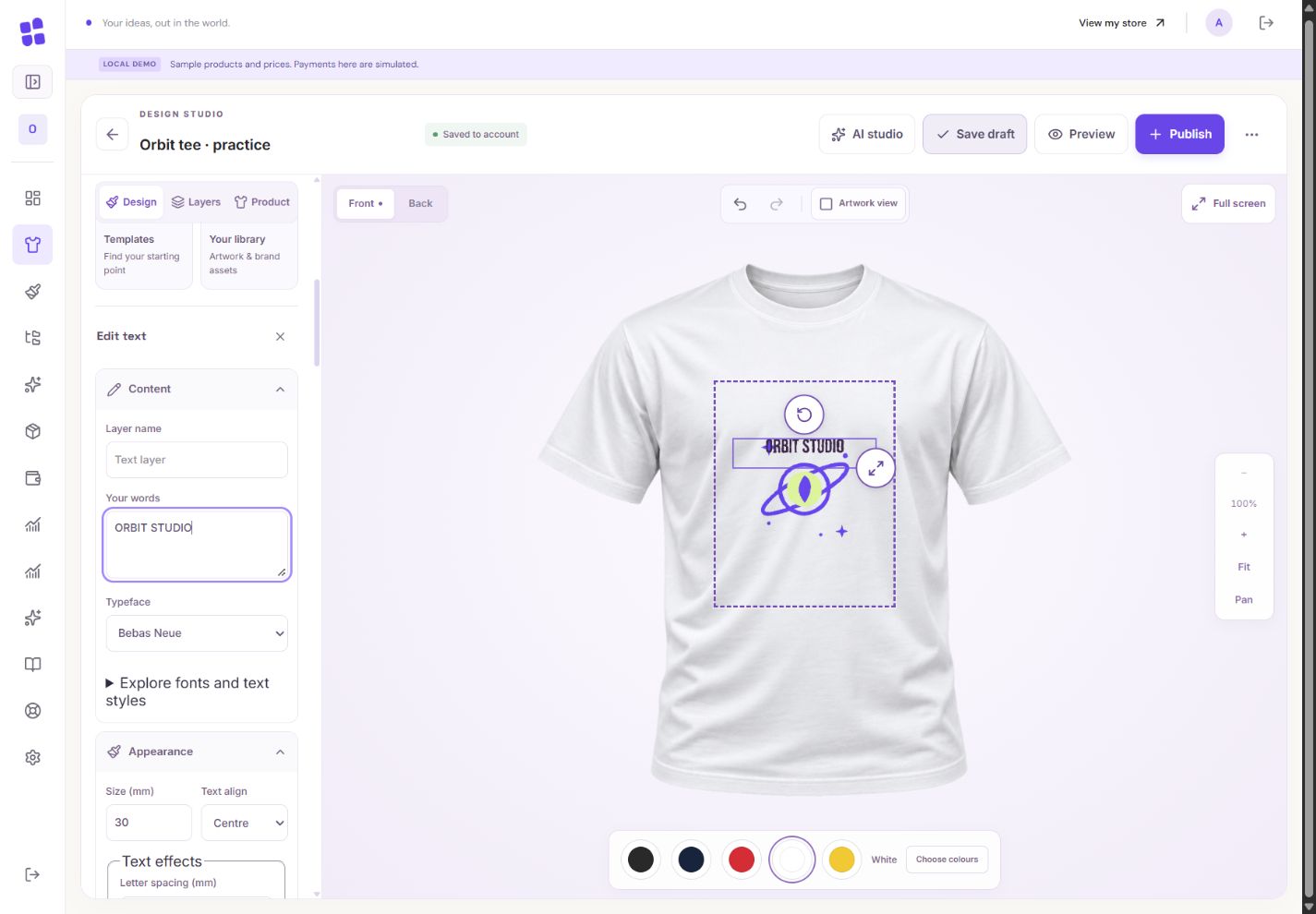
- 1Add your wording as a separate editable layer. The practice graphic has no baked-in lettering.
- 2Pick a bundled font and check the real printed size.
What you should seeYour words remain a separate text layer.
2
Pick a bundled font and an available weight or style. Change the text colour using its appearance controls.
What you should seeThe selected text uses your chosen bundled font and ink colour.
3
Choose your offered garment colours in Product settings. Check both front and back for each colour before publication.
What you should seeThe offered-colour list identifies what shoppers can buy.
Go further 2 optional topics
You have the core task. Explore these extra tools whenever you need them.
↗
Use the shirt colour swatches to inspect contrast. A preview colour helps you look; the offered-colour selection decides what shoppers may buy.
What you should seeThe preview colour changes the inspection view only.
↗
Keep important words readable at their real print size. White text on a white shirt needs another plan.
What you should seeYou have checked that important words are readable on each offered colour.
YOUR TURN · OPTIONAL
Give it a try.
Add a short phrase and inspect it on a light and a dark shirt.
Open text and colour tools Opens separately. Paid and destructive actions are never required to complete a lesson.You previewed a red shirt. What makes it available to shoppers?
Optional. No grades, no locked lessons.Ready to mark this one complete?
You choose when you have learned enough. No quiz score or business action is required.
Loading progress…
Sign in to save progress across devices