Ask for a website with a clear direction
One complete design, with one matching graphic.
Write a short brief in your notes. No paid request is required.
In this lesson 3 steps + optional extras
Open AI designer inside Store design. Check your eligible credit balance and service availability.
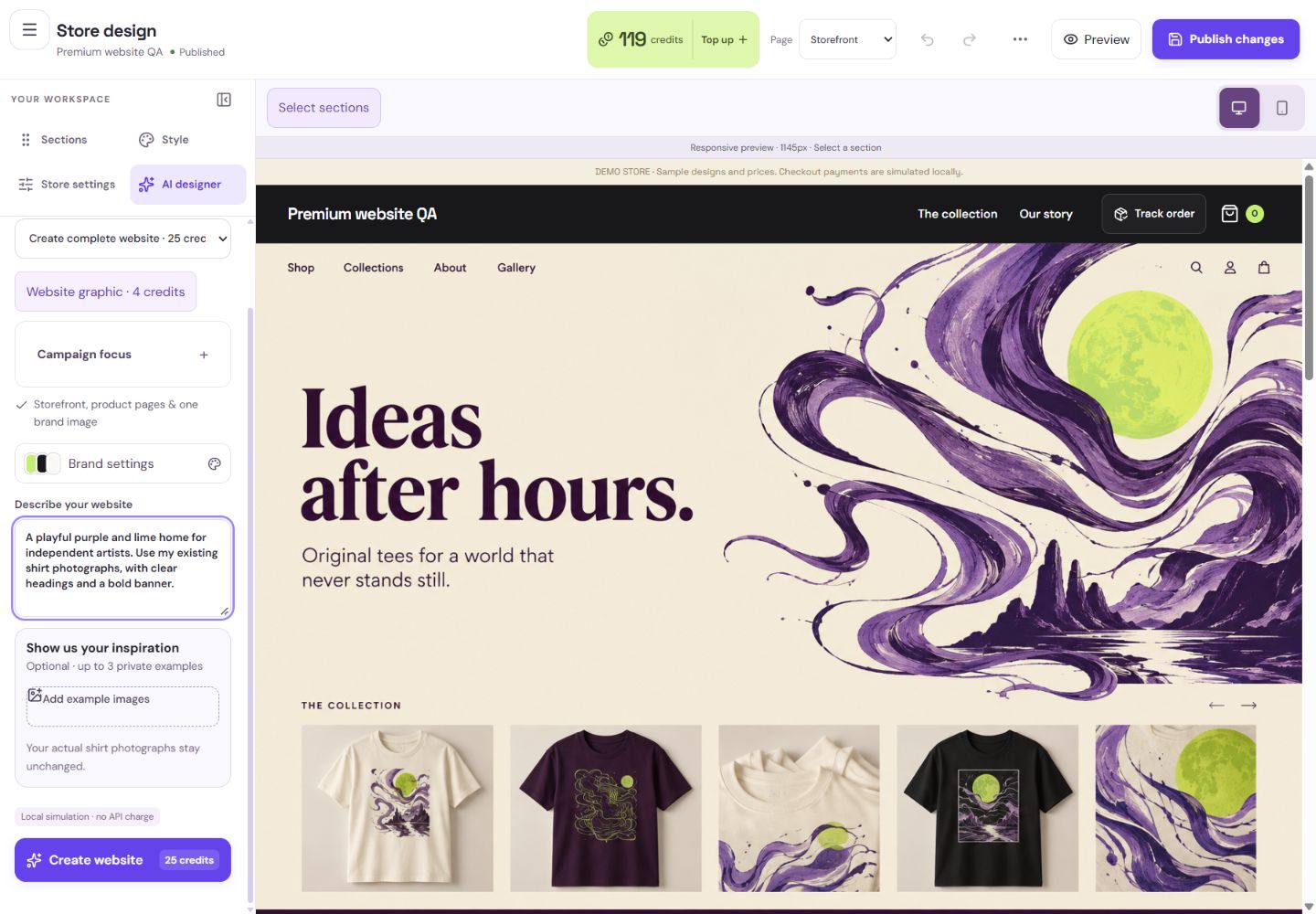
- 1Choose the full website action only when you want a complete direction.
- 2Describe your audience, mood and colours.
- 3Optional references help communicate your style.
What you should seeThe AI designer shows account access, balance and service status.
Describe the audience, tone, colours and purpose. Upload permitted example images and annotate what you like rather than asking for a copy of someone else’s site.
What you should seeThe brief and permitted references explain your direction without copying someone else.
Inspect the result in the main preview. Choose Use design to apply it to the private draft, or Keep current to retain your existing draft.
What you should seeUse design applies the result privately; Keep current leaves the draft as it was.
Go further 3 optional topics
You have the core task. Explore these extra tools whenever you need them.
Choose Create complete website. It creates a coordinated storefront/shared product page and one graphic, with the fixed charge shown before confirmation.
What you should seeThe complete website action shows its included graphic and fixed quote.
Existing shirt photographs stay unchanged. The graphic is for website presentation, not a newly invented product photograph.
What you should seeActual merchandise photographs remain unchanged.
A completed generation has used its quoted credits even if you prefer your old design. Applying it does not publish; Publish changes remains separate.
What you should seeYou can review the paid result without publishing it.
Words made simple
- draft
- A private saved copy. Shoppers cannot see these changes yet.
- publish
- Make the reviewed changes visible on your public store.
Give it a try.
Write a short brief in your notes. No paid request is required.
Open Store design Opens separately. Paid and destructive actions are never required to complete a lesson.A generated website is ready and you choose Use design. What happens?
Optional. No grades, no locked lessons.Ready to mark this one complete?
You choose when you have learned enough. No quiz score or business action is required.
Loading progress…
Sign in to save progress across devices