Give your AI assistant a useful brief
Good directions beat “make it cool”.
Write a brief in your notes. Do not submit a paid generation to complete this lesson.
In this lesson 3 steps + optional extras
Open AI Image Generator in the designer. Check Credits available and the charge before confirming any request.
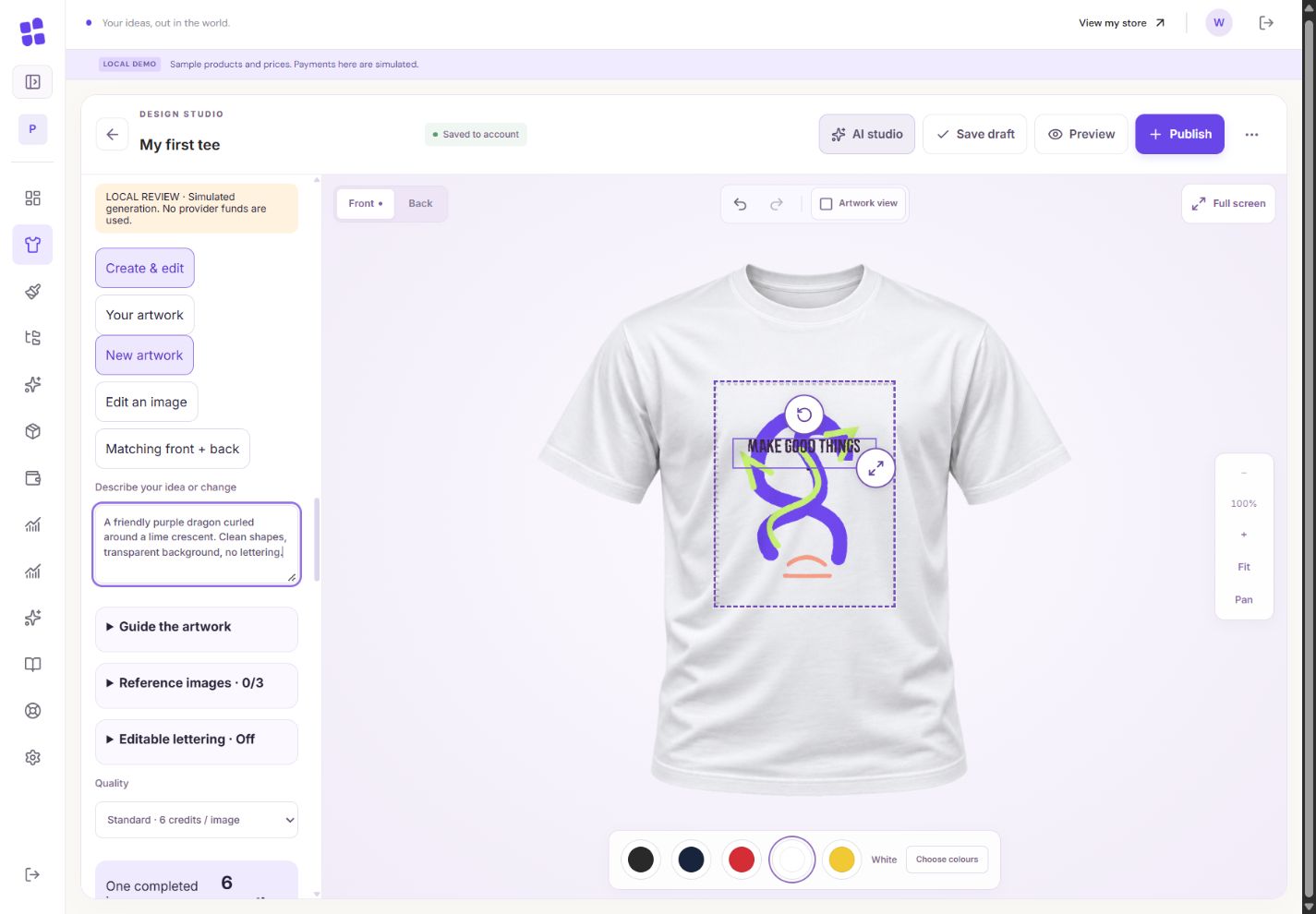
- 1Describe the subject, style, colours and composition. This is a local simulated example.
- 2Concept, Standard and Detailed have different fixed credit charges.
What you should seeThe balance and fixed quote are visible before generation.
Describe the subject, style, colours and composition. For example: “a friendly dragon, bold flat shapes, purple and lime, transparent background, no lettering”.
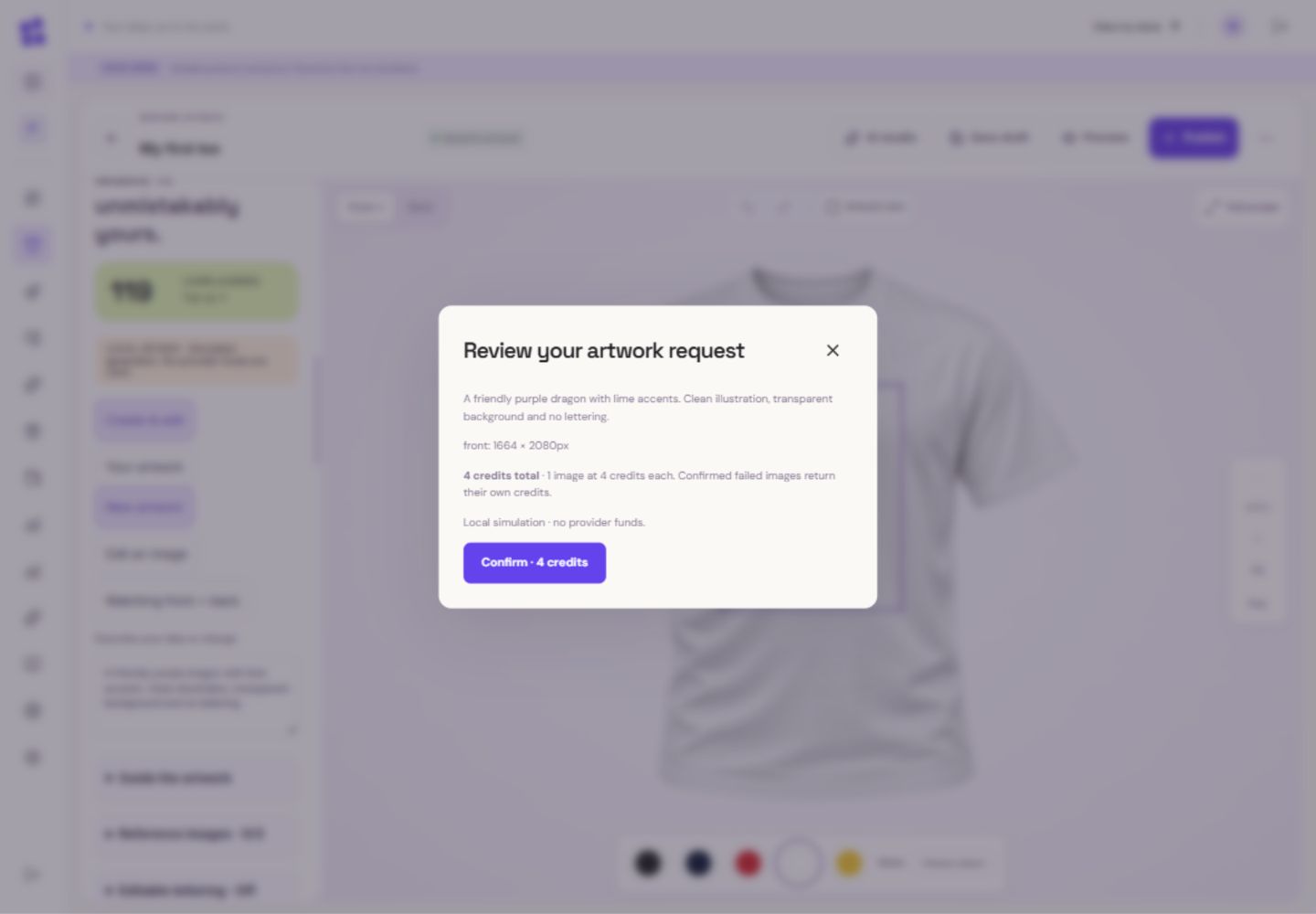
- 1Check the assembled prompt and the captured print side.
- 2Only this confirmation starts the request. This example is simulated.
What you should seeYour prompt identifies a subject, visual style, colours and composition.
Choose Concept, Standard or Detailed. The current charges appear below. A new quote must be accepted if prices change before submission.
What you should seeThe chosen quality has a complete quote; stale prices require confirmation.
Go further 3 optional topics
You have the core task. Explore these extra tools whenever you need them.
Use the optional brief choices for placement and composition, then review the assembled instructions.
What you should seeThe assembled instructions include the choices you made.
Upload up to three private PNG/JPEG references you are allowed to use. Label each as composition, style or colour guidance; do not upload customer or identity documents.
What you should seeUp to three owned references are labelled with their purpose.
Generation needs credits your account can use and an available service. Free signups do not get automatic credits; administrator-awarded credits can give eligible access without Premium.
What you should seeThe tool explains whether your credits and account can currently generate.
Give it a try.
Write a brief in your notes. Do not submit a paid generation to complete this lesson.
Open the product designer Opens separately. Paid and destructive actions are never required to complete a lesson.You added references and chose quality. What comes before generation?
Optional. No grades, no locked lessons.Ready to mark this one complete?
You choose when you have learned enough. No quiz score or business action is required.
Loading progress…
Sign in to save progress across devices