Edit an image or make a matching pair
Keep the original and choose exactly what changes.
Find the edit and pair choices, and read their charges without submitting.
In this lesson 2 steps + optional extras
Choose an existing owned image for editing. Whole-image editing can change the whole result; selected-area editing uses your mask.
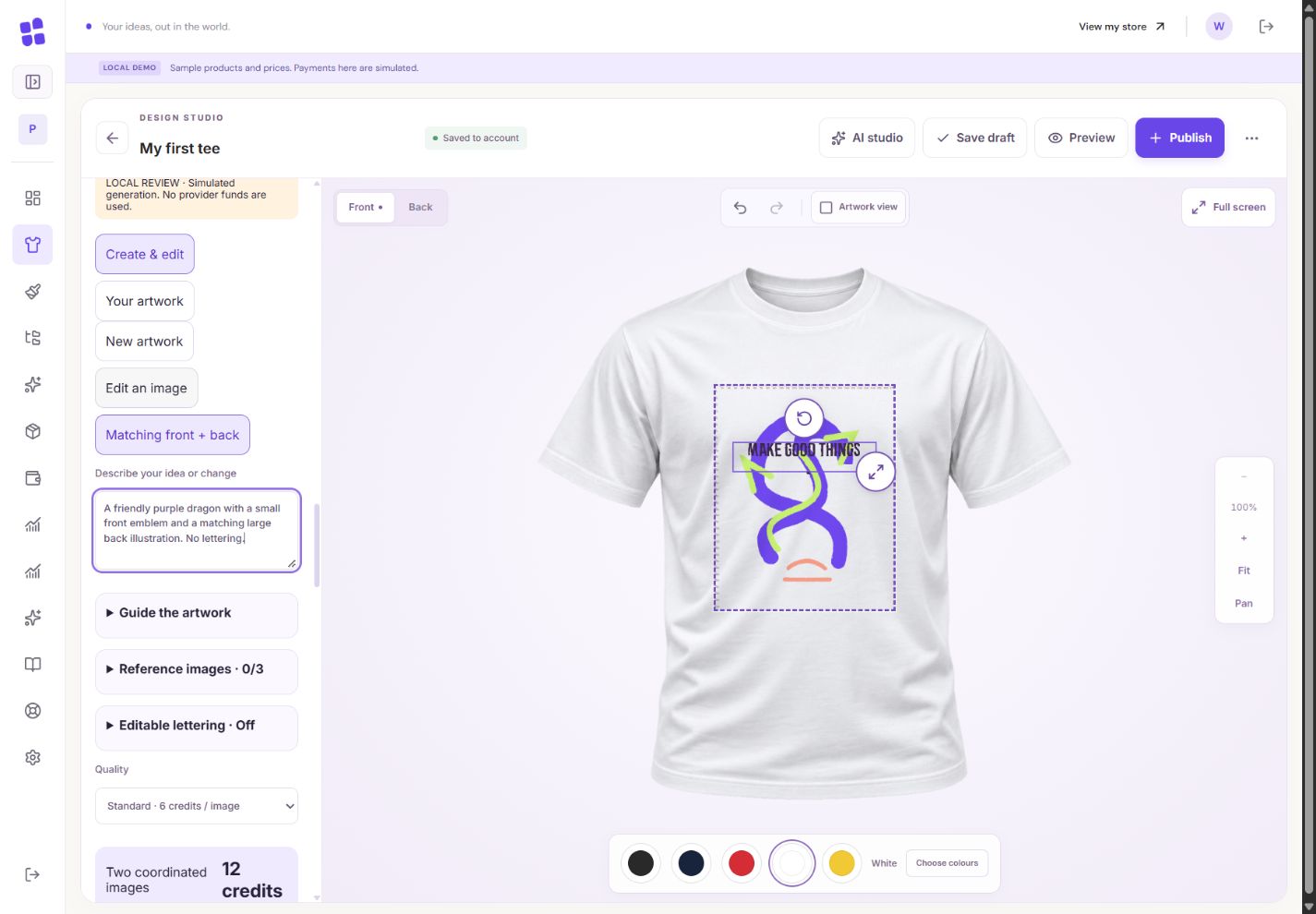
- 1The quote covers both images. You keep any successfully completed side.
- 2Describe the shared brief. Reference uploads are optional.
- 3Each side uses the selected quality and recorded charge.
What you should seeThe original image remains available while you choose the edit type.
Use brush size, softness, zoom, pan and selection Undo to mark the area. Outside-mask pixels are preserved in the working image (which may be smaller than your original); check any working-resolution notice.
What you should seeThe mask identifies the editable area; any working-size reduction is stated.
Go further 4 optional topics
You have the core task. Explore these extra tools whenever you need them.
For coordinated front/back artwork, choose a pair and review both sides and the full quoted charge. The front is generated first and guides the back.
What you should seeA matching pair has separate front/back progress and the full pair quote.
Use artwork-and-text mode when you want editable lettering. Enter the title/subtitle and choose the editable text arrangement rather than asking for lettering baked into pixels.
What you should seeYour wording can be inserted as editable text with the illustration.
A completed side can remain available if the other fails. Confirmed failed or unstarted sides return their reserved credits; uncertain work stays under review.
What you should seeEach side has its own saved-result and credit status.
Changing products while work runs does not redirect its result. Inspect the captured destination before explicitly inserting it.
What you should seeThe result stays tied to the product and side captured when it started.
Words made simple
- reserved
- Credits set aside for a running request. They are not available to spend again.
Give it a try.
Find the edit and pair choices, and read their charges without submitting.
Open the product designer Opens separately. Paid and destructive actions are never required to complete a lesson.The front completed but the back failed. What should you inspect?
Optional. No grades, no locked lessons.Ready to mark this one complete?
You choose when you have learned enough. No quiz score or business action is required.
Loading progress…
Sign in to save progress across devices