From “preparing” to your private library
Understand progress and insert the result deliberately.
Open a library preview or read the illustrated statuses. No generation is required.
In this lesson 3 steps + optional extras
Watch the status: queued, preparing, generating and finishing describe work stages. They are not a guaranteed countdown.
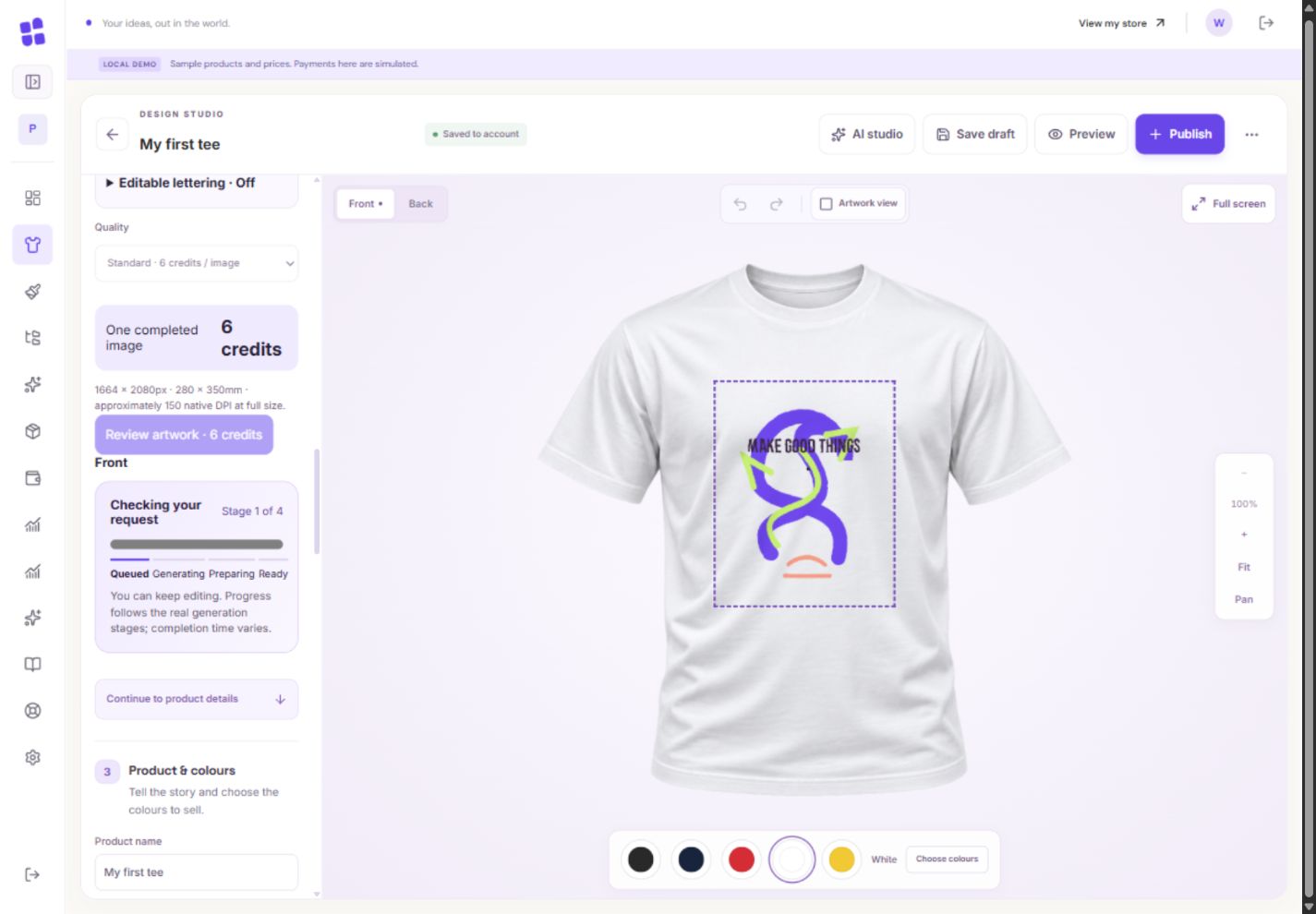
- 1The bar follows real stages, not a made-up countdown. This example is simulated.
- 2Keep editing or come back later. The accepted request is not sent twice.
What you should seeThe status identifies a stage rather than promising an exact finish time.
A completed image enters your private library. Open its preview, inspect the name and original side, and expand details if you need the full prompt.
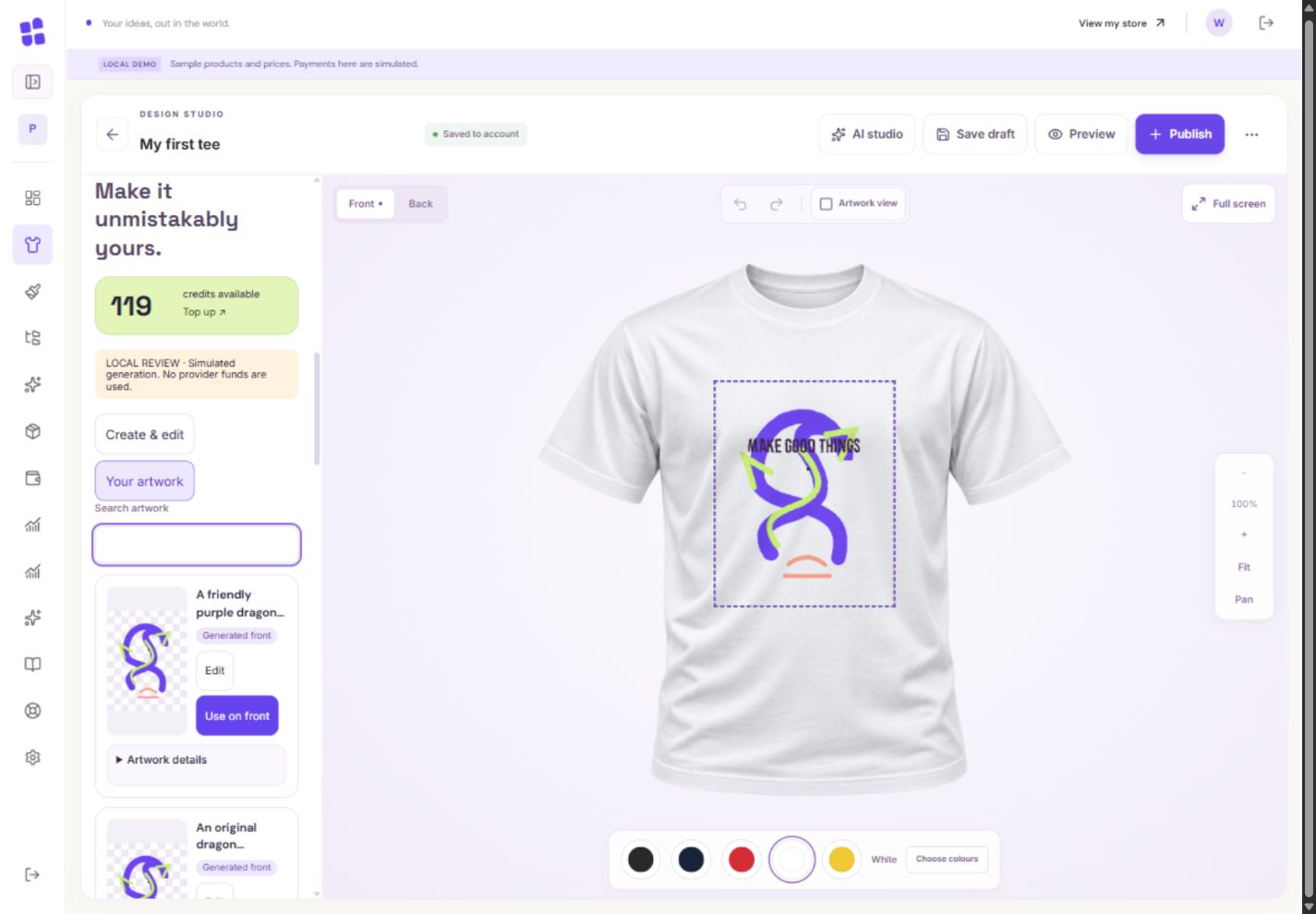
- 1Find earlier artwork without generating it again.
- 2Edit makes another image; Use on front inserts this one.
- 3Expand the original brief and side information.
What you should seeThe completed image appears in the private library with its details.
Choose the destination side and insert explicitly. Saved editable lettering comes back with eligible artwork as one Undo action; legacy images may contain only pixels.
What you should seeThe selected destination receives artwork and supported editable lettering together.
Go further 3 optional topics
You have the core task. Explore these extra tools whenever you need them.
You can return later. The request ID protects against sending the same job twice; do not repeatedly start new requests because a phone is slow.
What you should seeYou can reopen the same request without sending a duplicate.
Inspect placement and effective DPI. A 300-DPI export does not mean the generated source gained extra detail.
What you should seeThe placement and native DPI remain visible for inspection.
If the service reports a confirmed failure and credits returned, you can try again later. An uncertain result needs to be checked; contact support rather than assuming a refund or submitting duplicate requests.
What you should seeThe failure message distinguishes returned credits from work still being checked.
Words made simple
- DPI
- Dots per inch: a way to compare useful image pixels with the size you want to print.
Give it a try.
Open a library preview or read the illustrated statuses. No generation is required.
Open the product designer Opens separately. Paid and destructive actions are never required to complete a lesson.A generation is still under review. What is the useful next action?
Optional. No grades, no locked lessons.Ready to mark this one complete?
You choose when you have learned enough. No quiz score or business action is required.
Loading progress…
Sign in to save progress across devices