Read an order without guessing
Each line tells you what was purchased.
Open an example order and identify its colour, size and quantity.
In this lesson 3 steps + optional extras
Open Orders and use search, filters and pages to find the reference. Counts describe the full history, not only the visible page.
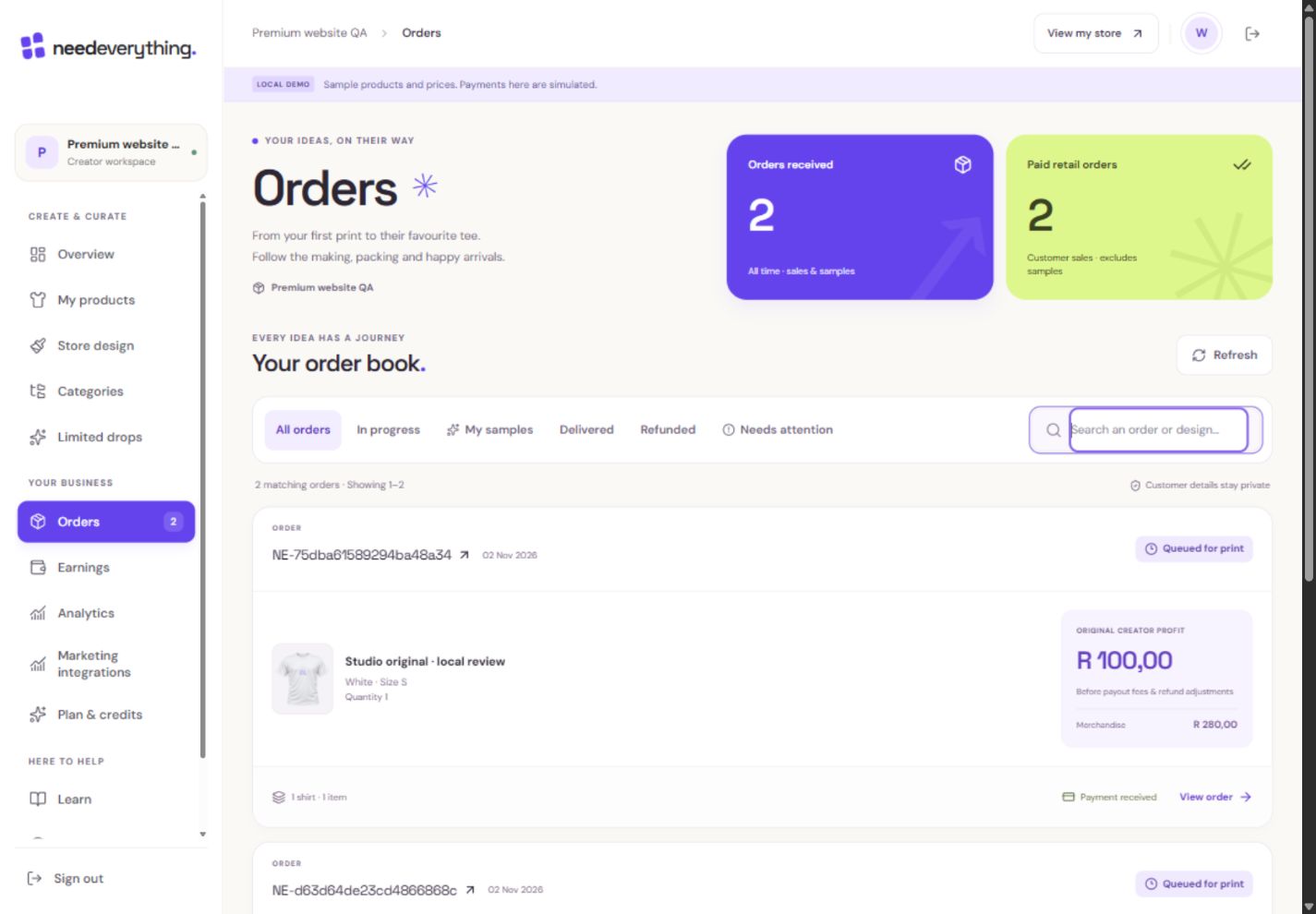
- 1Search a reference or design across your order history.
- 2Open the purchased design, colour, size and status.
- 3Separate your own samples from customer sales.
What you should seeThe selected reference opens the correct order details.
Open the order and inspect each item’s design, garment colour, size and quantity. Purchased versions stay fixed even when you later edit a product.
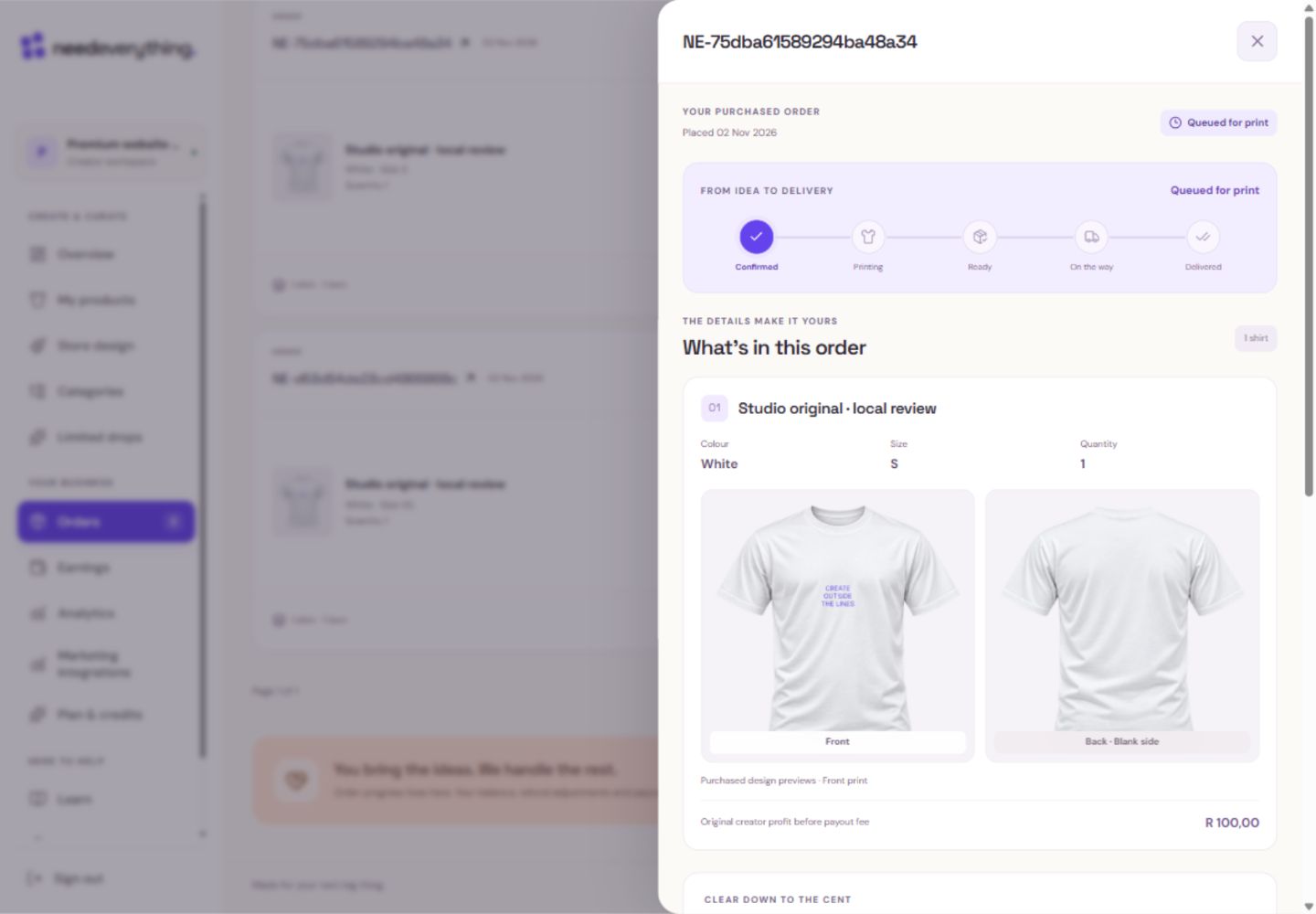
- 1Read each purchased design, colour, size and quantity.
- 2A blank back is labelled clearly; it is not a missing print.
What you should seeEvery line retains its purchased design, colour, size and quantity.
Read original totals, confirmed refunds, pending refunds and remaining amounts separately. Failed refunds are not deductions.
What you should seeOriginal, confirmed-refund, pending-refund and remaining amounts are distinct.
Go further 3 optional topics
You have the core task. Explore these extra tools whenever you need them.
Follow the status from payment through production, dispatch and delivery. NeedEverything coordinates printing and customer fulfilment.
What you should seeThe current status identifies the next fulfilment stage.
Creator views restrict customer contact details. Ask support about an issue using the order reference rather than trying to access private shipping documents.
What you should seeYour view keeps customer contacts private; support can use the reference.
Production files belong to the purchased revision. Creator drafts are not a substitute for an order’s approved print files.
What you should seeA later editable draft cannot replace the order’s approved files.
Words made simple
- draft
- A private saved copy. Shoppers cannot see these changes yet.
Give it a try.
Open an example order and identify its colour, size and quantity.
Open Orders Opens separately. Paid and destructive actions are never required to complete a lesson.You changed a design after an order was paid. Which artwork belongs to the order?
Optional. No grades, no locked lessons.Ready to mark this one complete?
You choose when you have learned enough. No quiz score or business action is required.
Loading progress…
Sign in to save progress across devices