See your store through a shopper’s eyes
Photos, sizes, baskets and delivery expectations.
Use the isolated store preview to explore a product. Checkout is disabled there.
In this lesson 3 steps + optional extras
Open a published product. Check finished front/back/detail images and zoom; a blank side should be labelled honestly.
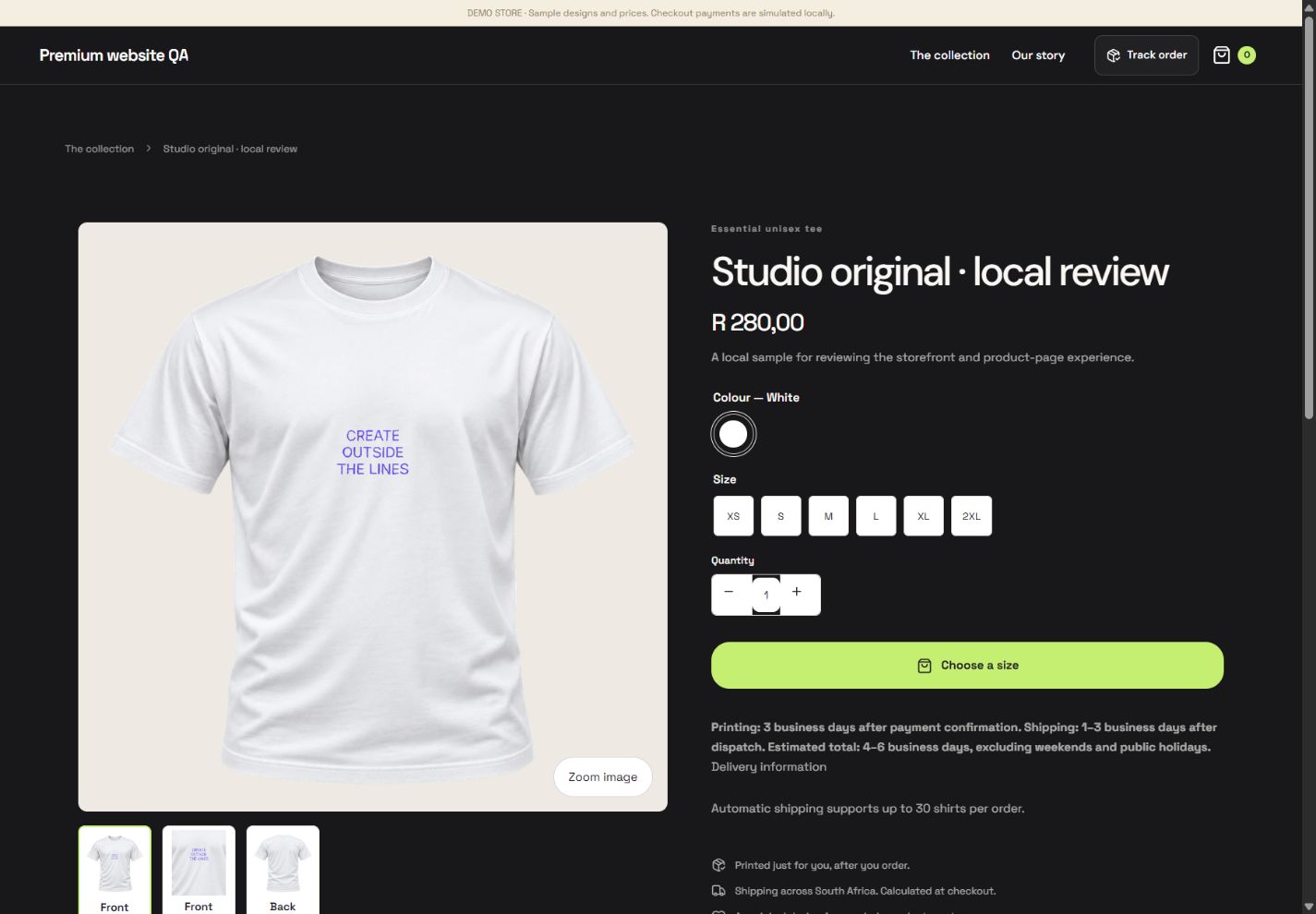
- 1Zoom the finished shirt photograph before choosing.
- 2Choose the required size explicitly.
- 3Set the number of shirts before adding to the basket.
What you should seeFinished photographs and blank-side labels describe the purchased presentation.
Choose a garment colour and size. Until a size is selected, the purchase action asks you to Choose a size.
What you should seeThe action asks for a size until a valid size is selected.
Add the selected quantity to the basket. Current stock and quantity limits apply, and the checkout quote rechecks availability and price.
What you should seeThe basket contains the chosen variant and allowed quantity.
Go further 3 optional topics
You have the core task. Explore these extra tools whenever you need them.
Read the printing and shipping estimates below. Shipping starts after dispatch, not when the design is saved.
What you should seePrinting and shipping are displayed as separate estimated periods.
Payment is confirmed on the server. A pending return page may need verification or Retry; do not treat it as a confirmed sale.
What you should seeThe order shows confirmed payment or an honest pending state.
Shoppers use their private tracking link or Track order. Keep private tracking links out of public social posts.
What you should seePrivate tracking stays available without exposing the link publicly.
Words made simple
- publish
- Make the reviewed changes visible on your public store.
Give it a try.
Use the isolated store preview to explore a product. Checkout is disabled there.
Open Store design → Preview Opens separately. Paid and destructive actions are never required to complete a lesson.The payment return page says Pending. What confirms the order?
Optional. No grades, no locked lessons.Ready to mark this one complete?
You choose when you have learned enough. No quiz score or business action is required.
Loading progress…
Sign in to save progress across devices