Give your artwork a print check
Catch avoidable problems before they become a shirt.
Open print checks for a draft and identify one thing you would inspect.
In this lesson 3 steps + optional extras
Open Print check or Inspect print. Select a finding to see its affected layer and side.
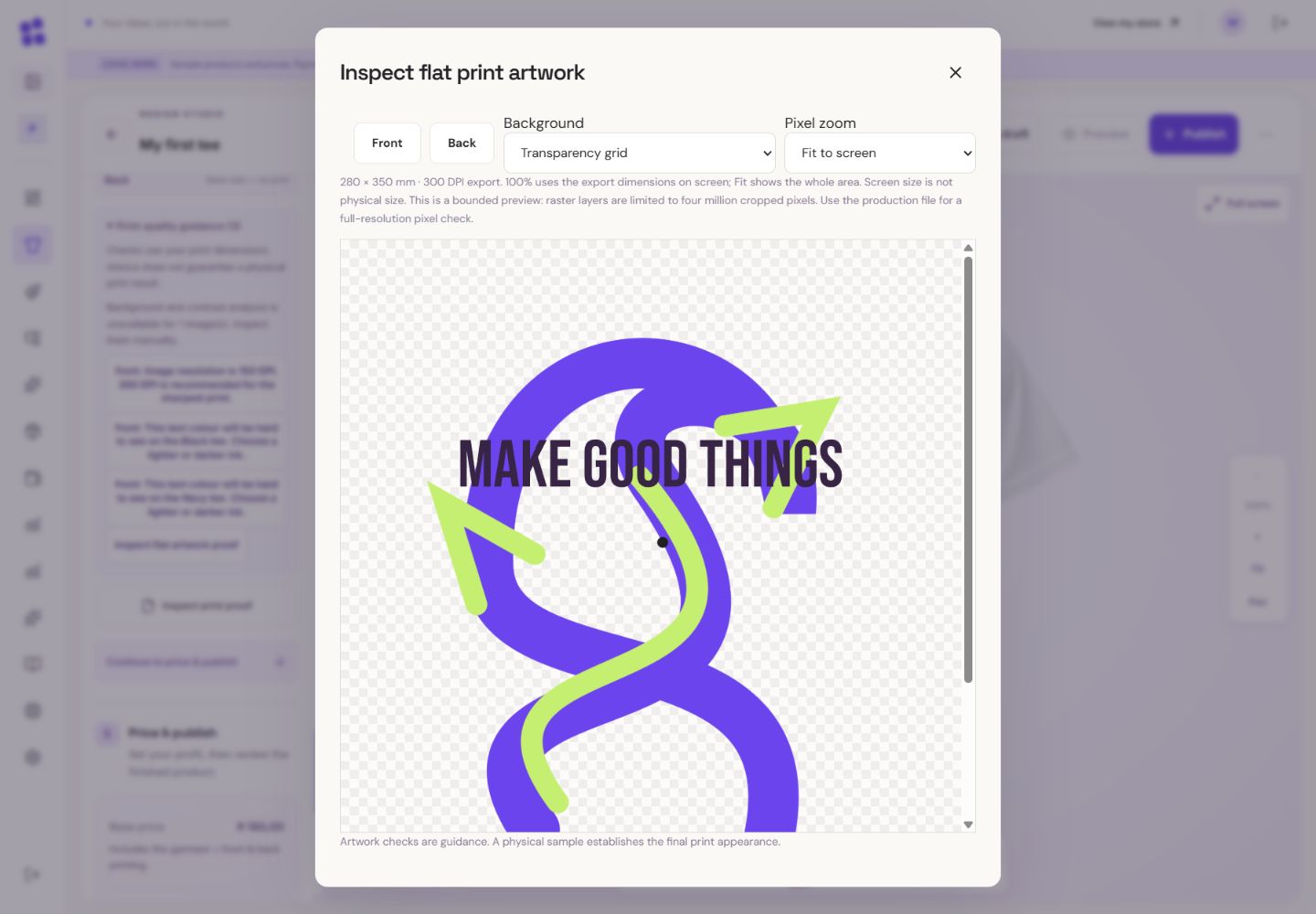
- 1Use the transparency grid to spot unwanted background pixels.
- 2Pixel zoom is screen detail, not the physical size of a shirt.
- 3Review both sides. A side without artwork has no print.
What you should seeThe finding points to the relevant side and layer.
Effective DPI compares useful source pixels with the physical print size. Cropping leaves fewer source pixels; enlargement does not invent detail.
What you should seeYou can compare useful source pixels with physical print dimensions.
Use Reduce to recommended size where appropriate, replace a weak source, enlarge tiny lettering or adjust thin details.
What you should seeThe recommended action changes size or source rather than claiming extra detail.
Go further 3 optional topics
You have the core task. Explore these extra tools whenever you need them.
Check contrast on every offered garment colour and inspect unwanted backgrounds. Cleanup and colour adjustment may help.
What you should seeYou can inspect contrast and backgrounds on the offered colours.
Use the flat-artwork proof on transparency and garment-colour backgrounds. Pixel zoom and physical dimensions answer different questions.
What you should seeThe proof shows flat artwork against transparency or garment colour.
Advisory warnings can be overridden, but invalid files, missing assets and invalid placement must be fixed. Passing checks is not a guarantee of the physical result; a sample is useful.
What you should seeBlocking problems are distinct from advisory warnings and unavailable checks.
Words made simple
- DPI
- Dots per inch: a way to compare useful image pixels with the size you want to print.
Give it a try.
Open print checks for a draft and identify one thing you would inspect.
Open the product designer Opens separately. Paid and destructive actions are never required to complete a lesson.The source looks blurry at full print size. What can help?
Optional. No grades, no locked lessons.Ready to mark this one complete?
You choose when you have learned enough. No quiz score or business action is required.
Loading progress…
Sign in to save progress across devices