Keep your catalogue under control
Find, restore, archive or remove designs with confidence.
Locate Version history, then return without restoring or deleting.
In this lesson 3 steps + optional extras
Use My products search, status filters and sorting to find designs across your catalogue. The total-design allowance is not just the number visible on this page.
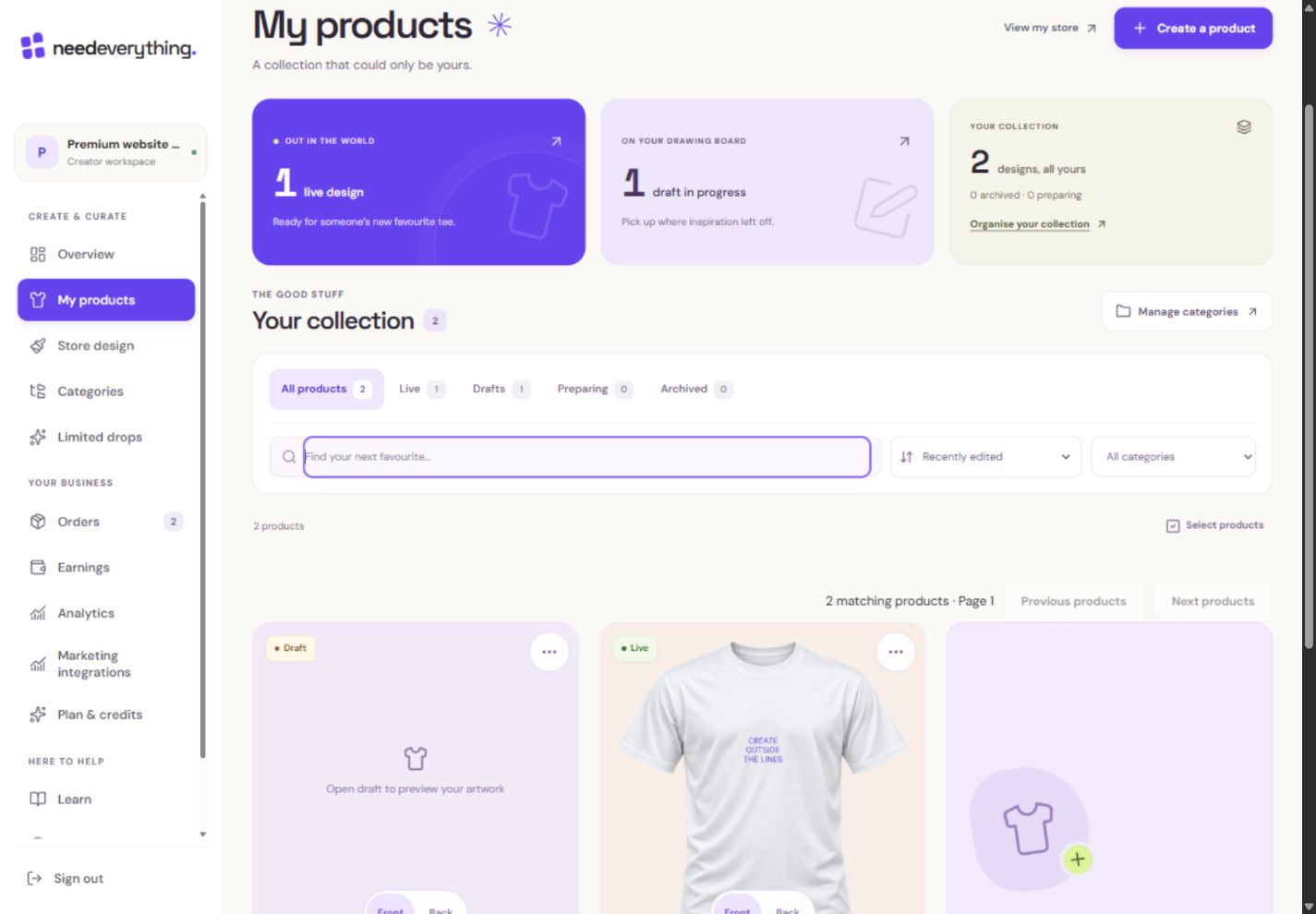
- 1Search the whole catalogue, not just the visible page.
- 2Put the newest edits or the right price first.
- 3Product actions include archiving or deleting eligible drafts.
What you should seeSearch, filters and sorting change the list, not the account total.
Use the product actions to edit, preview, move a live item back to Draft or archive it. Moving to Draft frees a live slot; check shopper availability afterward.
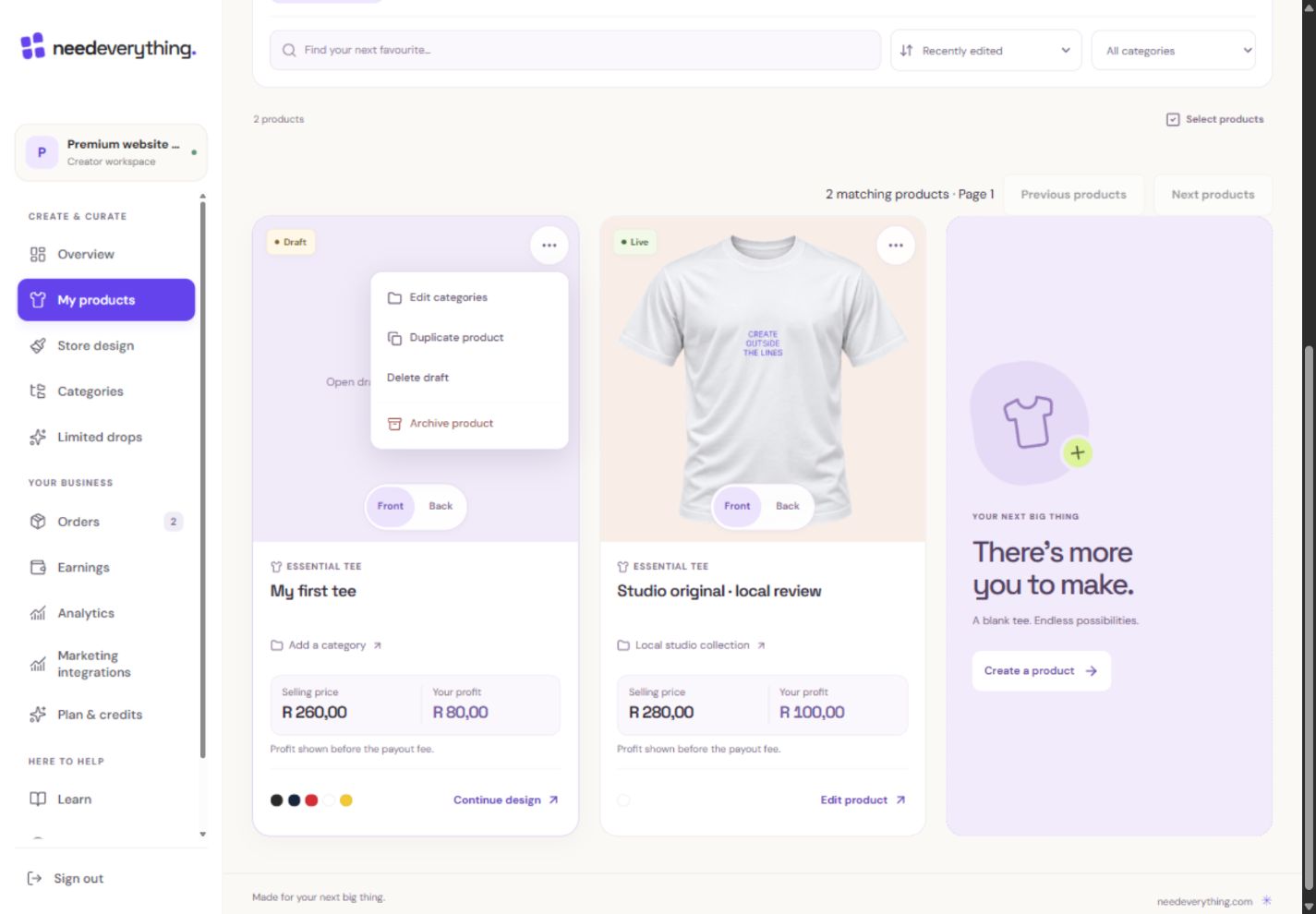
- 1Start an independent copy when the plan allowance permits.
- 2Delete only when you mean to remove that private draft.
- 3Archive removes it from shopping while preserving the product record.
What you should seeThe product status identifies whether shoppers can currently buy it.
Delete a draft you no longer need through its confirmation flow. A published or purchased revision is not the same thing as the editable draft.
What you should seeThe confirmation names the draft being deleted.
Go further 3 optional topics
You have the core task. Explore these extra tools whenever you need them.
Open Version history in the designer for restore points and named versions. Restoration first protects pending work and creates a Before restore checkpoint.
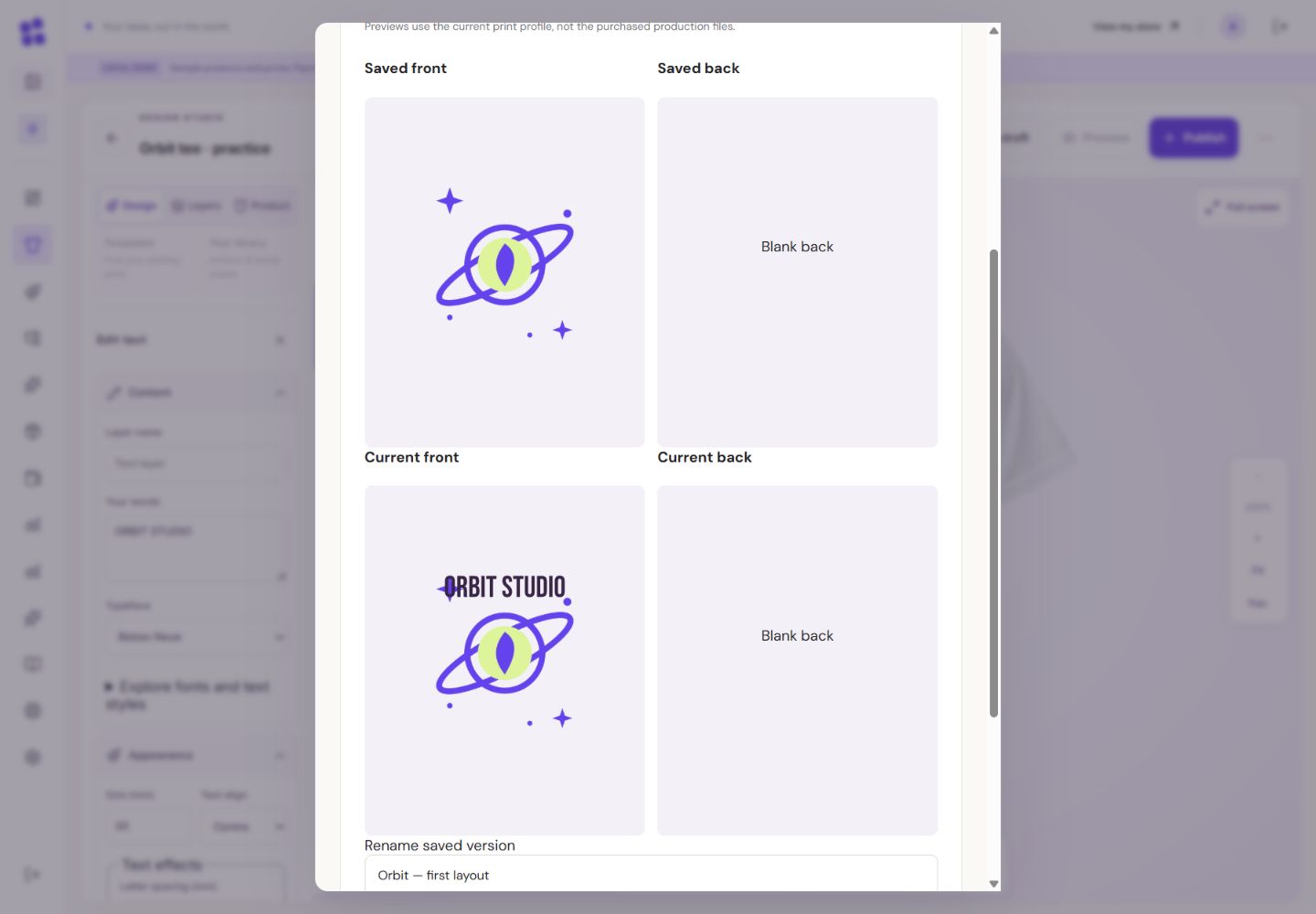
- 1This is the earlier saved front. Its lettering differs from the current draft.
- 2This is the current private front. Compare before choosing Restore.
What you should seeThe list shows saved versions and the protected restoration workflow.
Restore into the private draft, inspect the result, then publish separately if wanted. Restoring never rewrites a past order.
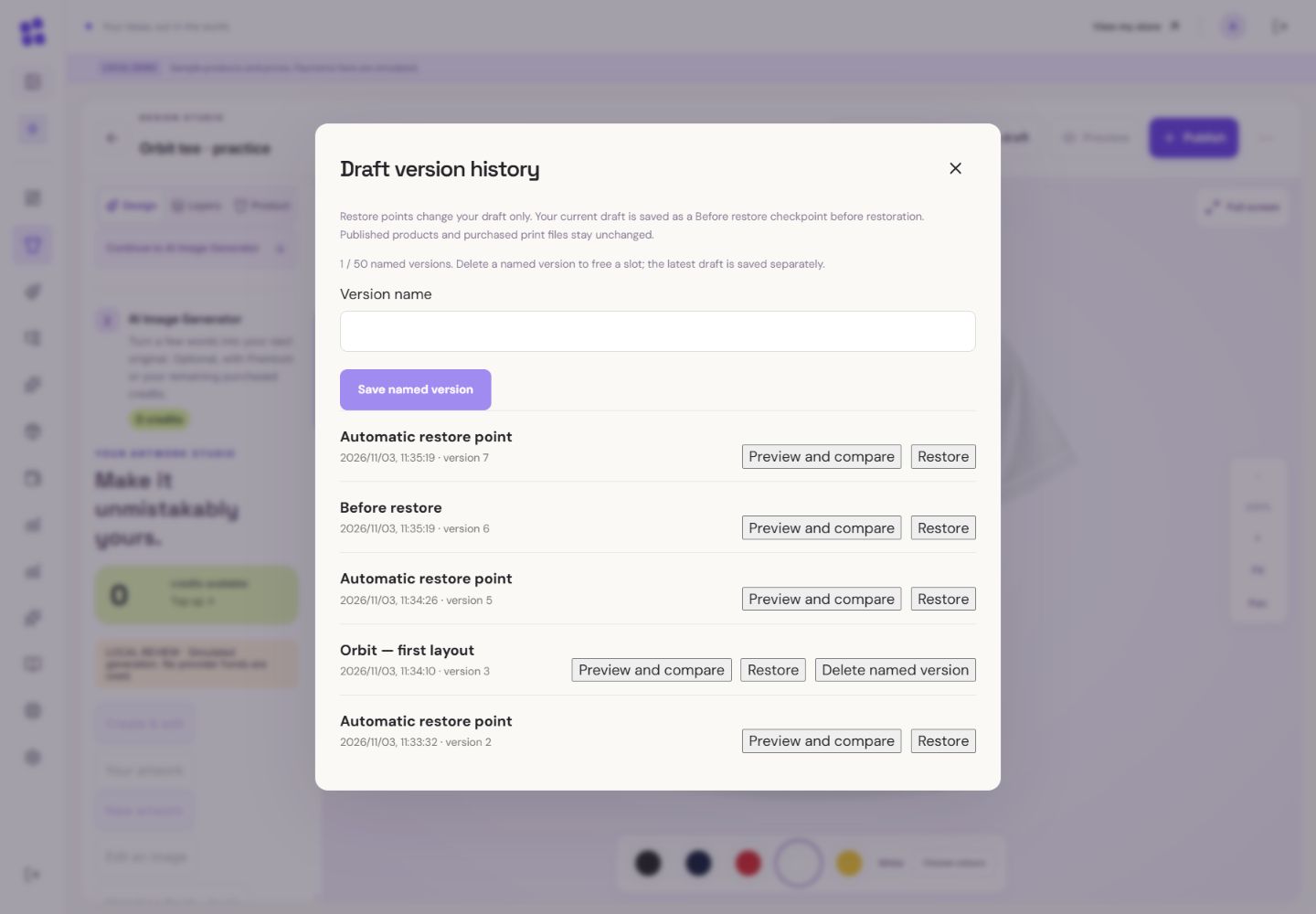
- 1The draft you were leaving was saved automatically as Before restore.
- 2You can recover that private work too. Restoring does not publish or change past orders.
What you should seeThe chosen history point opens as a private draft.
Free accounts have a total-design allowance and a separate live limit. Archived designs still count toward the total; Premium removes these catalogue limits.
What you should seeThe total allowance includes archived designs as well as live and draft designs.
Words made simple
- draft
- A private saved copy. Shoppers cannot see these changes yet.
- publish
- Make the reviewed changes visible on your public store.
- archived
- A design kept in your account but removed from normal shopping.
Give it a try.
Locate Version history, then return without restoring or deleting.
Open My products Opens separately. Paid and destructive actions are never required to complete a lesson.You restored an old design. What should you do before making it live?
Optional. No grades, no locked lessons.Ready to mark this one complete?
You choose when you have learned enough. No quiz score or business action is required.
Loading progress…
Sign in to save progress across devices