Get back into your workspace
Email, Google and password recovery in plain English.
Find the password-reset option. You do not need to request a reset.
In this lesson 3 steps + optional extras
Choose Log in and use the method connected to your account: email/password or Continue with Google when available.
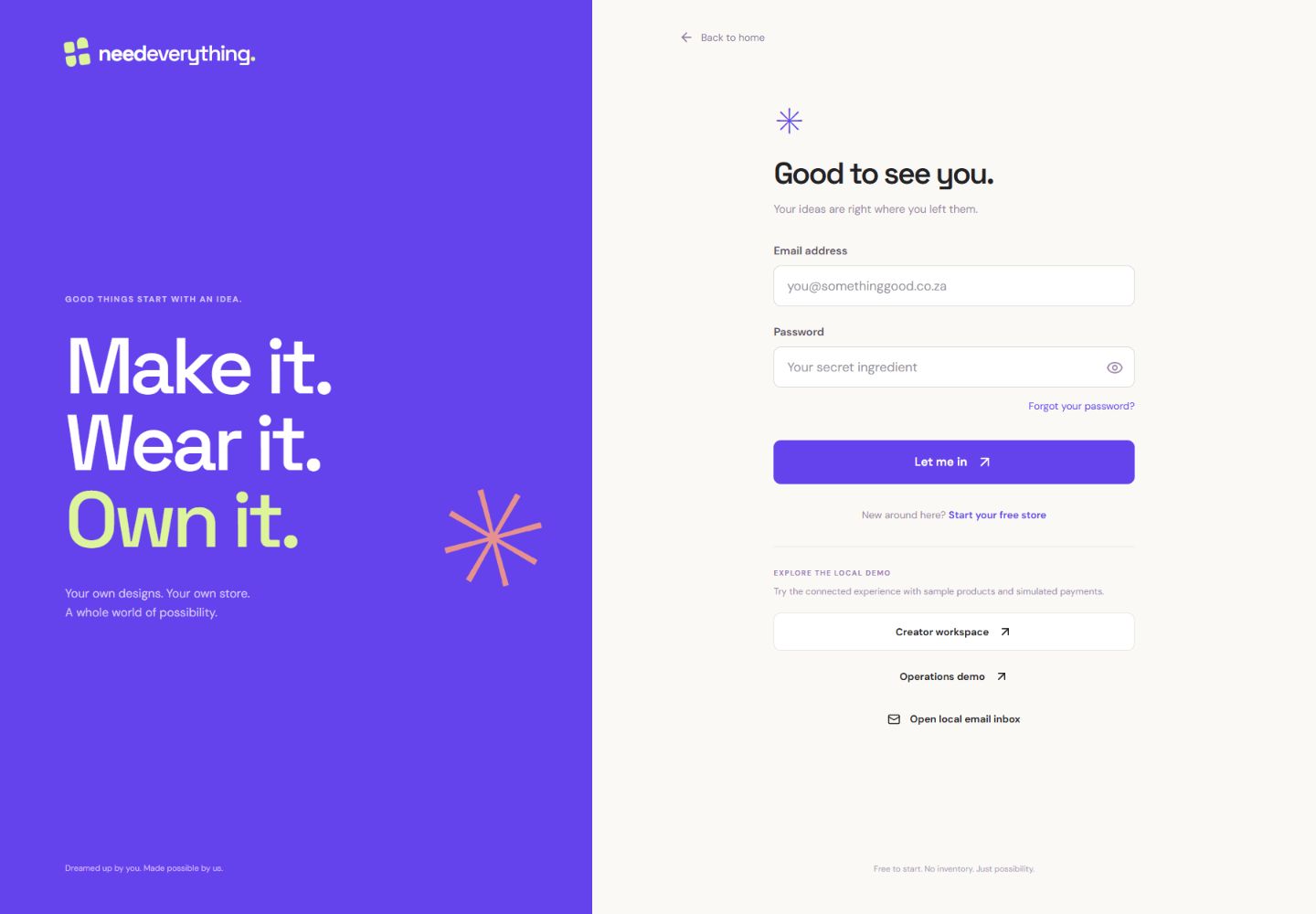
- 1Use the same email address you registered.
- 2Request a fresh reset link if you have forgotten your password.
- 3Sign in after entering your details. Never share your password or codes.
What you should seeYou have selected your normal sign-in method.
Forgot your password? Use the password-reset link, enter your email and open the newest reset message. Resetting a password is different from verifying your email.
What you should seeThe reset form asks for your own email; opening it sends nothing.
If the workspace cannot load, use Try again. Reload after an app update; if the problem continues, contact support with the exact visible error and browser version.
What you should seeYou have a safe next action or useful details for support.
Go further 2 optional topics
You have the core task. Explore these extra tools whenever you need them.
For Google, complete Google sign-in yourself and return to NeedEverything. Do not share your password or verification codes with support.
What you should seeThe sign-in returns to the Academy lesson after account checks.
If an authenticator is requested, enter its current code or choose Use a recovery code. Recovery codes are single use.
What you should seeYou can switch between an authenticator and an unused recovery code.
Give it a try.
Find the password-reset option. You do not need to request a reset.
Open sign-in options Opens separately. Paid and destructive actions are never required to complete a lesson.You forgot your password but can open your inbox. What helps?
Optional. No grades, no locked lessons.Ready to mark this one complete?
You choose when you have learned enough. No quiz score or business action is required.
Loading progress…
Sign in to save progress across devices